Why Do Slow Pages Cost Clinics Patients? Reading the Speed Reports, the Five Steps and the Sample Load-Time Gains
A question-and-answer guide to Core Web Vitals for US healthcare sites: what LCP, INP and CLS mean, 5 steps from baseline to re-testing, a problem vs better practice table, a sample results table and FAQs.
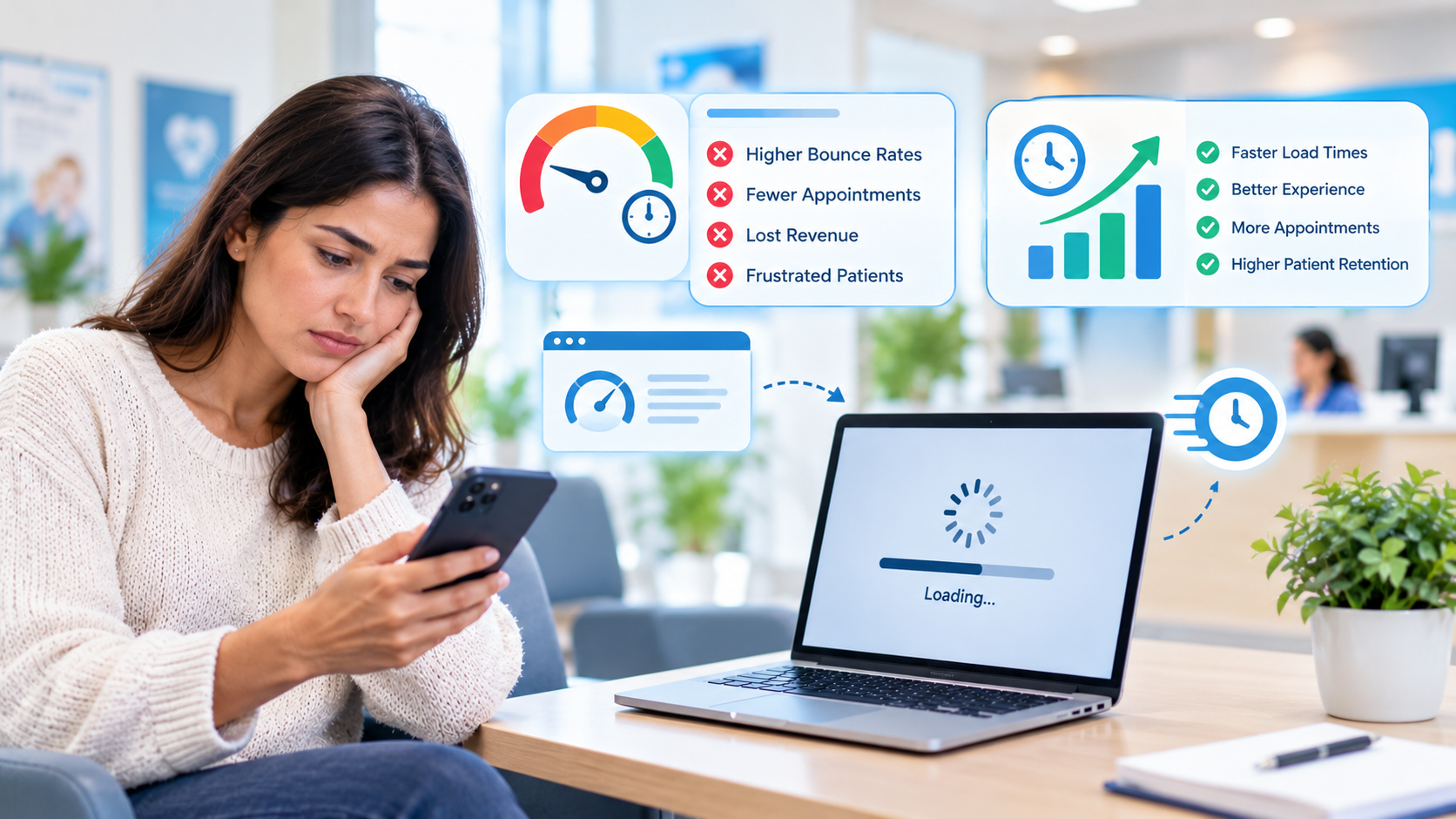
Quick answer: Core Web Vitals are Google's measures of how fast a page loads, how quickly it responds to a tap and how stable it stays while loading. For a US clinic, a slow or jumpy site can cost appointment requests, especially on phones. Good scores will not replace strong content, but poor scores can quietly hurt both patient experience and search performance. All numbers in the sample table below are illustrative, not real results.
What are Core Web Vitals, in plain language?
Google reports three main measures, based on real visits to your site (called field data):
- Largest Contentful Paint (LCP): how long the biggest visible element, often a hero image or headline, takes to appear. Google's "good" threshold is 2.5 seconds or less.
- Interaction to Next Paint (INP): how quickly the page reacts when someone taps a menu, a button or a form field. "Good" is 200 milliseconds or less. INP replaced the older First Input Delay measure in 2024.
- Cumulative Layout Shift (CLS): how much the page jumps around while loading. "Good" is 0.1 or less.
Google assesses these at the 75th percentile of visits, which means most of your patients need a good experience, not just the fastest few.
Why do healthcare sites struggle with speed?
Clinic websites often carry heavy weight that patients never asked for:
- Large, uncompressed photos of buildings and staff.
- Third-party widgets for chat, scheduling, reviews, maps and analytics, each loading its own scripts.
- Pop-ups, cookie banners and alert bars that push content down after it loads.
- Cheap shared hosting and bloated page-builder themes.
Many patients search on a phone, sometimes while stressed or in a hurry. If the "Book Appointment" button takes several seconds to respond, some of them will simply call another clinic.
What are the five steps?
Step 1: Get a field-data baseline
Open the Core Web Vitals report in Google Search Console and test your key pages in PageSpeed Insights. Record LCP, INP and CLS for the home page, a service page, a provider page and your booking page, on mobile first.
Step 2: Fix the largest element
Compress and resize images, use modern formats such as WebP or AVIF, and load the main hero image first. Avoid auto-playing background video on landing pages. A lighter hero is the quickest LCP win on most clinic sites.
Step 3: Tame third-party scripts
Audit every chat tool, tracker and widget. Remove what nobody uses and delay the rest until after the page is usable. For US healthcare sites, this also supports privacy: check with your compliance lead before running analytics or advertising trackers on pages where patients may enter health information, since the Department of Health and Human Services has warned regulated entities about tracking technologies.
Step 4: Stabilize the layout
Set width and height on images, reserve space for banners and embedded forms, and load fonts without causing text to jump. This is the main fix for CLS problems.
Step 5: Re-test after every release
Speed slips back over time as new plugins, banners and pages are added. Re-check your key pages after every site update and review the Search Console report monthly. Field data can take about 28 days to reflect changes, so be patient before judging a fix.
What are common problems and better practices?
| Common problem | Better practice |
|---|---|
| Hero photo is several megabytes | Resized, compressed, modern format, loaded first |
| Five or more third-party scripts on every page | Only essential scripts, delayed where possible |
| Cookie banner pushes content down | Space reserved so content does not jump |
| Scheduling widget blocks the page | Widget loads after core content, or opens in a light overlay |
| Speed checked once at launch | Checked after each update and reviewed monthly |
What could the results look like? (Sample data)
This is an illustrative example of mobile results for a single-location clinic over three months. It is not real client data.
| Month | LCP (sample) | INP (sample) | CLS (sample) | Booking-page completion (sample) |
|---|---|---|---|---|
| Baseline | 4.1 s | 340 ms | 0.22 | 9% |
| Month 1 | 3.2 s | 260 ms | 0.14 | 10% |
| Month 2 | 2.6 s | 210 ms | 0.09 | 11% |
| Month 3 | 2.3 s | 180 ms | 0.06 | 12% |
Improvement in conversions depends on many factors. Faster pages remove friction, but they do not fix unclear offers or missing information.
What cautions should US clinics keep in mind?
- Do not trade accessibility for speed. Keep alt text, readable fonts and keyboard-friendly forms, which matter for ADA-related website accessibility.
- Do not remove required notices. Privacy notices, emergency guidance such as "call 911 for emergencies" and consent text must stay visible.
- Test on real phones and slower connections, not just a fast office network.
- Use lab tests as a guide only. Google's ranking signals use field data from real visitors.
Next step
Start with your booking page and your top three service pages on mobile. Fix images and third-party scripts first, then measure again in a month.
Frequently Asked Questions
Keep reading
What Are the Top Email Marketing Automation Tools for Small Businesses? Reading the Tool Comparison, the Five Steps and the Sample Email Bookings
A question-and-answer guide to choosing among the top email marketing automation tools for small businesses: what they do, why programs underperform, 5 steps, a weak vs stronger table, a sample bookings chart, rules and FAQs.
What Are the Top Social Media Automation Tools for Small Businesses? Reading the Tool Comparison, the Five Steps and the Sample Posting Time
A question-and-answer guide to choosing among the top social media automation tools for small businesses: what to automate, why accounts feel robotic, 5 steps, a weak vs stronger table, a sample time-savings chart, rules and FAQs.
How Do You Choose Among the Top Digital Marketing Agencies in NYC? Reading the Agency Types, the Five Steps and the Sample Cost Per Customer
A question-and-answer guide to choosing among the top digital marketing agencies in NYC: what agencies do, why businesses switch, 5 steps to choose, an agency-types table, a sample cost-per-customer chart, rules and FAQs.
Put These Ideas to Work with NovaReach
Automate your marketing, launch AI voice agents, and keep every lead moving, all from one dashboard.