How Does Patient Portal Automation Increase Adoption? Reading the Enrollment Flow, the Five Steps and the Sample Adoption Data
A question-and-answer guide to patient portal automation: why adoption is low, 5 steps from invites to result alerts, a manual vs automated table, a sample adoption graph, key metrics and FAQs.
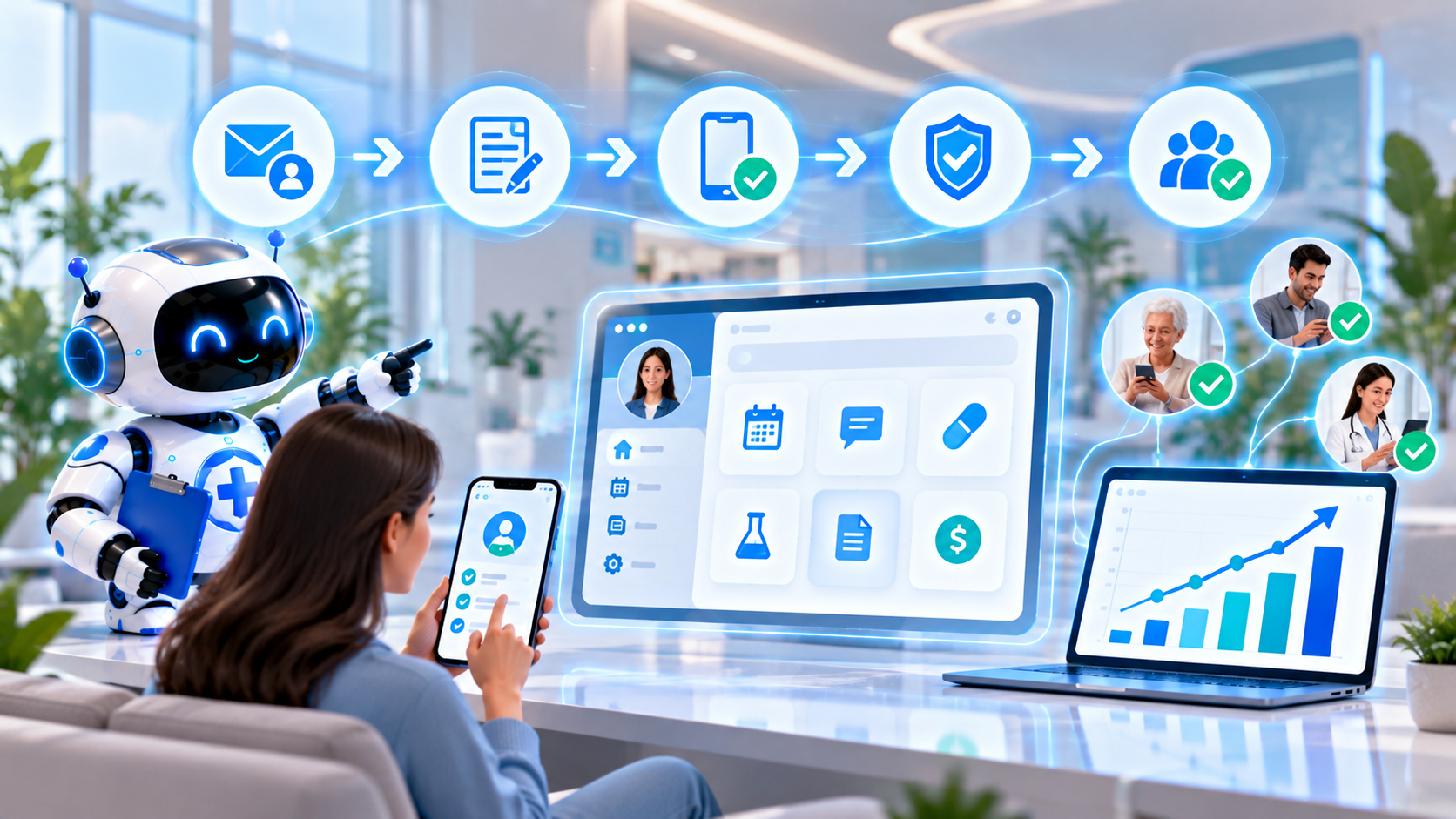
Patient portal automation is the use of workflows that invite patients to enroll, guide them through setup and move routine tasks such as forms, scheduling, messages and results into the portal. Most practices and hospitals already own a patient portal, but only a minority of patients use it regularly. The gap is rarely the software. It is the lack of a simple, automatic path from the front desk to a logged-in patient. This guide explains, in a question-and-answer format, how to close that gap, with a sample result and a checklist you can follow.
Key Findings
- 5 steps turn a portal from an unused login page into a daily tool: automated invites, QR enrollment, digital forms, self-scheduling and result alerts.
- In the illustrative model below, portal adoption rises from 18% to 61% when all five steps are active.
- Enrollment at check-in is the largest single jump in the sample, because patients sign up while they are already holding a phone.
- 4 numbers are enough to track success: active portal users, enrollment rate, tasks completed online and calls avoided.
- All figures in this article are illustrative examples, not guaranteed results.
What Is a Patient Portal and What Does Automation Add?
A patient portal is a secure website or app where patients view results, message the care team, fill forms, book visits and pay bills. Automation adds the missing steps around it: sending the invite, reminding patients who did not sign up, pre-filling forms and sending an alert whenever something new is waiting. Without these steps, the portal depends on staff remembering to mention it.
Why Do So Few Patients Use the Portal?
Most patients never enroll because nobody makes it easy at the moment they are paying attention. Common causes include:
- The invite arrives days later by email and gets buried.
- Setup needs a long code or a separate password reset.
- Forms are still handed over on paper at the front desk.
- Patients are not told that results and bills now live in the portal.
- Staff keep answering the same questions by phone, so patients see no reason to log in.
How Can Practices Automate Patient Portal Enrollment? 5 Steps
1. Send Automatic Invites After Registration
The best invite goes out minutes after registration, by text and email. It carries a one-tap link, so the patient does not need to type a code. This builds on a clean automated patient intake process, where the phone number and email are already captured correctly.
2. Enroll Patients With a QR Code at Check-In
A QR code at the front desk or kiosk lets patients create an account in under a minute. Because they are already in the building and waiting, the conversion rate is much higher than an invite sent later.
3. Move Forms and Consents Into the Portal
Digital forms give patients a reason to log in before every visit. Returning patients see pre-filled details, and the signed documents flow straight into the chart, which also supports faster clinical documentation.
4. Offer Self-Scheduling and Refill Requests
Self-service tasks reduce calls and keep patients coming back to the portal. Patients can book, reschedule or request a refill without waiting on hold. Pair this with automated appointment scheduling to reduce no-shows at the same time.
5. Alert Patients When Results and Messages Arrive
A short notification, with no medical details, brings the patient back to the portal. The message simply says that something new is available. Link this to your lab report delivery workflow so results reach patients quickly and securely, and to your patient follow-up messages so every nudge points back to the same place.
| Step | Manual way | Automated way |
|---|---|---|
| Invite | Staff mention it, if they remember | Text and email within minutes of registration |
| Enrollment | Long codes and password resets | One-tap link or QR code at check-in |
| Forms | Paper clipboard at every visit | Pre-filled digital forms in the portal |
| Scheduling and refills | Phone calls | Self-service requests with confirmations |
| Results | Patients call to ask | Automatic "new result available" alert |
How Much Can Automation Improve Portal Adoption? A Sample Graph
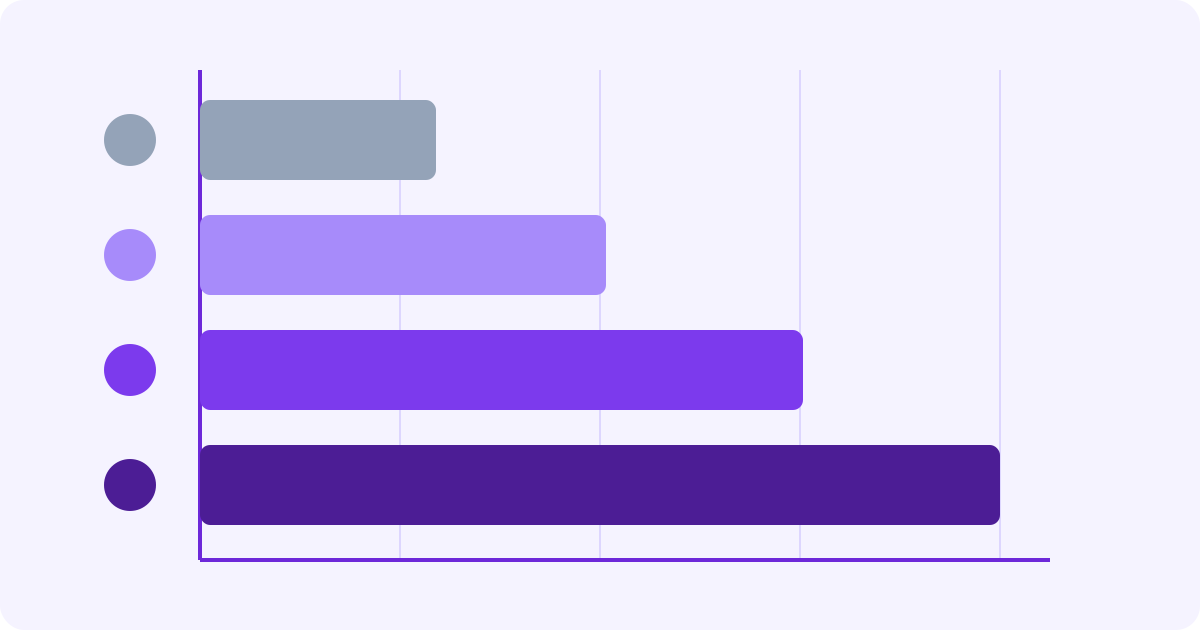
In this illustrative example for a mid-sized clinic, portal adoption rises from 18% to 61%. The bars run from top to bottom in the same order as the table below, and each block (█) equals 4 percentage points.
| Stage | Portal adoption (%) | Bar chart |
|---|---|---|
| Phone and paper only | 18 | █████ |
| Plus automatic email invite | 31 | ████████ |
| Plus QR enrollment at check-in | 46 | ████████████ |
| Plus forms, scheduling and result alerts | 61 | ███████████████ |
What Should Practices Measure for Portal Success?
Four measures show whether the portal is becoming part of daily work.
- Percentage of active patients with a working portal account.
- Percentage of new patients who enroll on the day of their first visit.
- Share of forms, refill requests and bookings completed online.
- Drop in routine phone calls, which you can compare against your hospital chatbot volume and your management dashboards.
Is Portal Automation Secure and HIPAA-Friendly?
Yes, when messages and access are designed carefully. Keep these rules in mind:
- Send notifications that say something is available, never the result itself.
- Verify identity at enrollment, for example with date of birth and a one-time code.
- Offer multi-factor sign-in and automatic log-out on shared devices.
- Keep an access log and limit staff permissions to what each role needs.
- Always keep a phone or paper option for patients who cannot use digital tools.
Methodology and Limitations
The numbers in this article come from an illustrative model created by Nova Reach Digital to show how each step may affect portal adoption. They are not drawn from a published study or a specific organization. Real results depend on patient age, language, device access, staff habits and your portal vendor. Measure your own baseline for at least a month before judging any change, and review your compliance obligations with your own legal or privacy team.
Related Reading
- Automated patient intake
- OPD queue and token management
- Remote patient monitoring
- Billing and claims automation
- Referral management automation
Conclusion
A portal only helps when patients actually use it. Automation gives every patient a quick invite, an easy sign-up and a reason to return, while your staff spend less time on repeat calls. If you want help building a patient portal enrollment workflow, contact Nova Reach Digital or read more about our healthcare automation services.
Get Directions
Frequently Asked Questions
Keep reading
What Are the Top Email Marketing Automation Tools for Small Businesses? Reading the Tool Comparison, the Five Steps and the Sample Email Bookings
A question-and-answer guide to choosing among the top email marketing automation tools for small businesses: what they do, why programs underperform, 5 steps, a weak vs stronger table, a sample bookings chart, rules and FAQs.
What Are the Top Social Media Automation Tools for Small Businesses? Reading the Tool Comparison, the Five Steps and the Sample Posting Time
A question-and-answer guide to choosing among the top social media automation tools for small businesses: what to automate, why accounts feel robotic, 5 steps, a weak vs stronger table, a sample time-savings chart, rules and FAQs.
How Do You Choose Among the Top Digital Marketing Agencies in NYC? Reading the Agency Types, the Five Steps and the Sample Cost Per Customer
A question-and-answer guide to choosing among the top digital marketing agencies in NYC: what agencies do, why businesses switch, 5 steps to choose, an agency-types table, a sample cost-per-customer chart, rules and FAQs.
Put These Ideas to Work with NovaReach
Automate your marketing, launch AI voice agents, and keep every lead moving, all from one dashboard.