Which Schema Markup Types Help Clinics Win Rich Results? Reading the Markup Types, the Five Steps and the Sample Click Growth
A question-and-answer guide to schema markup for US clinics: why sites miss rich results, 5 steps from page inventory to monthly monitoring, a weak vs stronger table, a sample click table, privacy rules and FAQs.
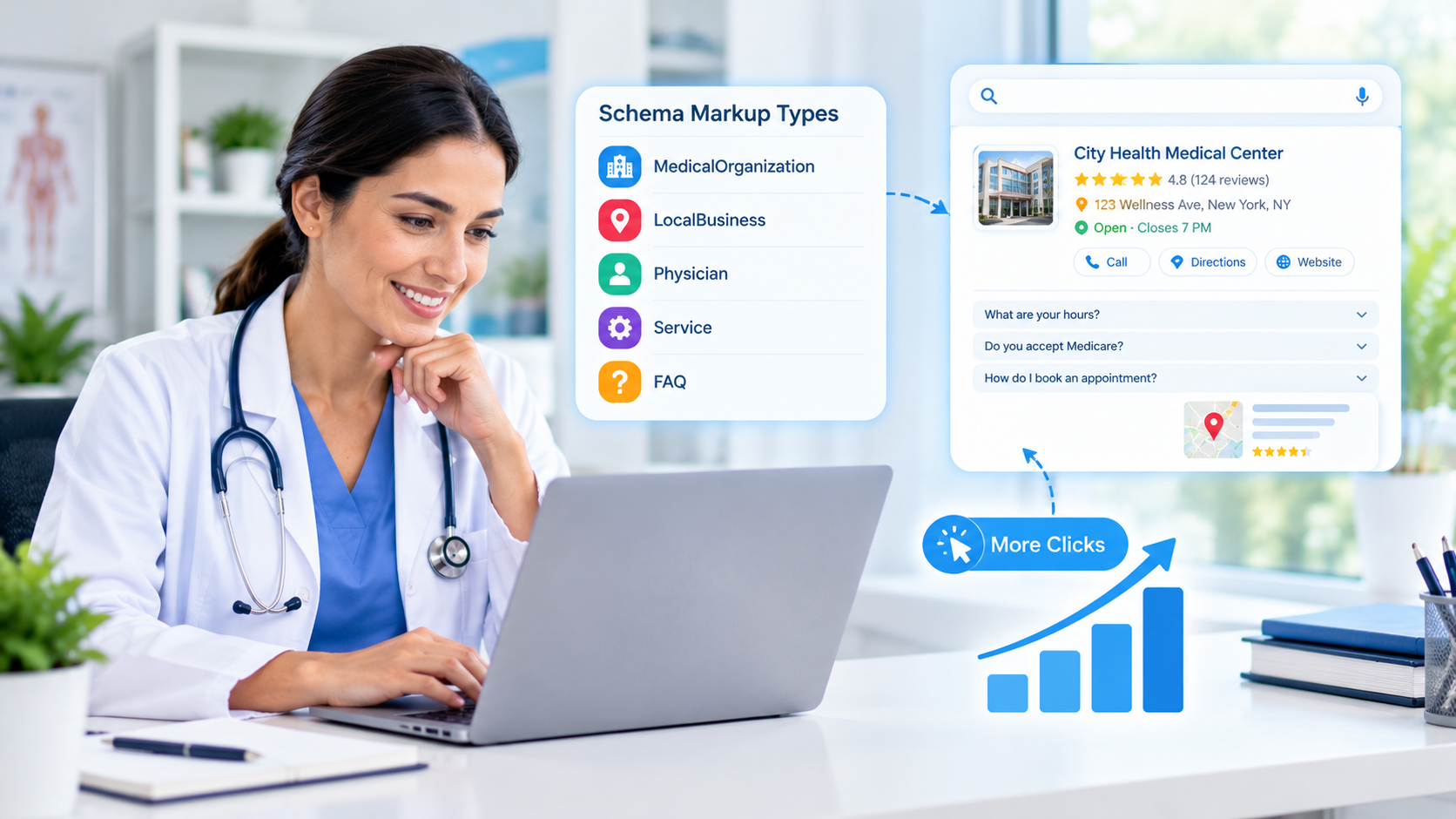
Quick answer: Schema markup is a small block of structured code that tells search engines exactly who your clinic is, where it is, who your providers are and what you offer. For a US clinic, clean markup helps Google understand your pages, supports accurate knowledge panels and can make your listings clearer. It does not guarantee rankings or rich results, but it removes guesswork. This guide uses sample numbers only; they are illustrative, not real results.
Why do so many clinic websites miss out on rich results?
Most clinic sites are built by designers who focus on look and feel, not on machine-readable details. The page reads fine to a patient, but a search engine still has to guess whether a phone number belongs to the front desk or billing, or whether a name on a page is a physician or a marketing writer. Common reasons clinics lose out:
- No markup at all, so Google relies only on page text.
- Markup copied from a template for a different business type, such as a generic "LocalBusiness" with no medical detail.
- Details in the code that do not match the visible page, such as old hours or a former address.
- One-time setup with no testing after a redesign or plugin update.
Which markup types matter most for a clinic?
You do not need every type. Start with the ones that match real content already on the page:
- MedicalClinic or MedicalOrganization for the practice itself: name, address, phone, hours and accepted payment or insurance details where relevant.
- Physician for provider profile pages: name, specialty, practice affiliation and a link to the official bio.
- LocalBusiness details such as opening hours and geographic coordinates for each location.
- BreadcrumbList to show page hierarchy, for example Home > Services > Physical Therapy.
- FAQPage for genuine patient questions. Note that Google now shows FAQ rich results only for a limited set of well-known authority sites, so most clinics will not see the visual FAQ box. The markup can still help machines read the page, but do not expect a visual change.
What are the five steps?
Step 1: Inventory your pages and entities
List every location, provider, service page and article. Note which details are already visible on each page: address, hours, phone, provider credentials. Only mark up what a patient can actually see.
Step 2: Choose the right type for each page
Map one primary type to each template: the home and location pages to the clinic type, provider bios to Physician, articles to Article with a named author and reviewer where you have them. Keep it simple and accurate.
Step 3: Write the markup in JSON-LD
JSON-LD is the format Google recommends. It sits in one block in the page head or body and does not change how the page looks. Use the same name, address and phone format everywhere, matching your Google Business Profile exactly.
Step 4: Test and validate before launch
Run each template through Google's Rich Results Test and the Schema Markup Validator. Fix errors first, then warnings that apply to your content. Check that hours, addresses and provider names in the code match the page.
Step 5: Monitor monthly in Search Console
Review the enhancement and performance reports once a month. Look for new errors after site updates, and compare clicks and impressions for pages with markup against a similar period before it was added.
What does weak markup look like compared with stronger markup?
| Area | Weak markup | Stronger markup |
|---|---|---|
| Type | Generic business type on every page | Clinic and Physician types matched to page content |
| Accuracy | Old hours and phone in the code | Details match the visible page and the Business Profile |
| Providers | Names listed without structure | Each provider page has its own Physician markup |
| Testing | Added once, never checked | Validated at launch and reviewed monthly |
| Reviews | Self-written star ratings marked up | No self-serving review markup |
What could the results look like? (Sample data)
The table below is an illustrative example for a single-location clinic, not a promise or real client data. It shows how you might track monthly organic clicks to service and provider pages after cleaning up markup.
| Month | Organic clicks (sample) | Pages with valid markup |
|---|---|---|
| Month 0 (baseline) | 420 | 2 |
| Month 1 | 445 | 14 |
| Month 2 | 480 | 22 |
| Month 3 | 520 | 28 |
Many things influence clicks at the same time, including content updates, seasonality and competition, so treat any lift as a signal to investigate rather than proof that markup alone caused it.
What privacy and accuracy rules should US clinics follow?
- Never put protected health information (PHI) in markup. No patient names, conditions tied to individuals, or appointment details belong in structured data.
- Mark up only visible content. Google's guidelines expect structured data to reflect what users can see on the page.
- Avoid self-serving review markup. Do not add star ratings you wrote or collected on your own site to your own business markup.
- Keep credentials truthful. List only licenses and specialties that a provider actually holds, and have a clinician or compliance lead review provider details.
- Re-check after changes. Moving a phone number, adding a location or changing a plugin can break markup silently.
Next step
Pick one location page and one provider page, add accurate markup, validate it and track it for 60 to 90 days. If the process works smoothly, roll it out to the rest of the site template by template.
Frequently Asked Questions
Keep reading
What Are the Top Email Marketing Automation Tools for Small Businesses? Reading the Tool Comparison, the Five Steps and the Sample Email Bookings
A question-and-answer guide to choosing among the top email marketing automation tools for small businesses: what they do, why programs underperform, 5 steps, a weak vs stronger table, a sample bookings chart, rules and FAQs.
What Are the Top Social Media Automation Tools for Small Businesses? Reading the Tool Comparison, the Five Steps and the Sample Posting Time
A question-and-answer guide to choosing among the top social media automation tools for small businesses: what to automate, why accounts feel robotic, 5 steps, a weak vs stronger table, a sample time-savings chart, rules and FAQs.
How Do You Choose Among the Top Digital Marketing Agencies in NYC? Reading the Agency Types, the Five Steps and the Sample Cost Per Customer
A question-and-answer guide to choosing among the top digital marketing agencies in NYC: what agencies do, why businesses switch, 5 steps to choose, an agency-types table, a sample cost-per-customer chart, rules and FAQs.
Put These Ideas to Work with NovaReach
Automate your marketing, launch AI voice agents, and keep every lead moving, all from one dashboard.