5 Steps to Automate Pharmacy and Medical Inventory and Prevent Stockouts
A numbered guide to automating hospital pharmacy and inventory: digital item records, reorder alerts, expiry tracking, ward-to-store sync, supplier follow-up and a sample stockout chart.
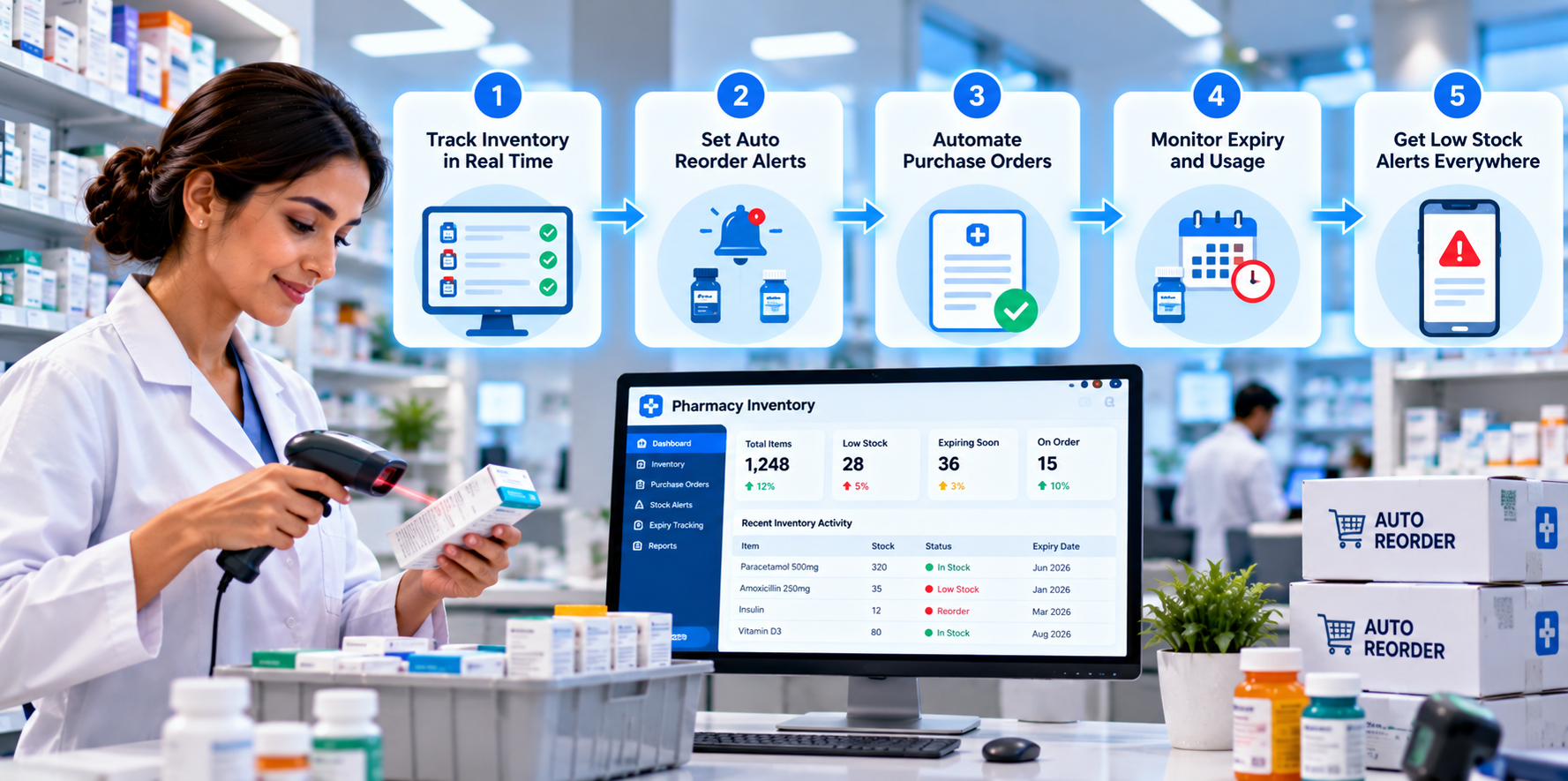
A missing injection, a ward out of gloves or a shelf of expired medicines: inventory problems show up at the worst possible moment. Many hospitals still track stock with registers and spreadsheets, which means problems are found after they happen. Automation moves the team from reacting to planning.
1. Give Every Item a Digital Record
Each medicine and supply gets a record with its batch number, expiry date, storage location and supplier. Barcodes or QR codes make it quick to update stock when items arrive or are used.
2. Set Reorder Levels and Automatic Alerts
For each item, define a minimum level based on real usage. When stock falls to that level, the system alerts the store in-charge or creates a purchase request, so supplies are ordered before they run out.
3. Track Expiry Dates Before They Become Waste
The system lists batches that will expire in 30, 60 and 90 days. Staff can use or return them in time, and the pharmacy follows the first-expiry, first-out rule without relying on memory.
4. Connect Ward Usage to Central Stock
When a nurse issues a medicine to a patient or a ward requests supplies, the stock count updates automatically. Wards stop keeping hidden stockpiles because they can see that supplies arrive when needed.
5. Automate Purchase Requests and Supplier Follow-Up
Approved requests can go to suppliers by email or message, and the system tracks delivery dates. Late deliveries trigger a reminder, and the purchase team sees all pending orders in one place.
| Task | Manual way | Automated way |
|---|---|---|
| Stock counting | Periodic physical count in registers | Live count through scans |
| Reordering | When someone notices a low shelf | Alert at the reorder level |
| Expiry control | Occasional shelf checks | Automatic 30, 60 and 90 day lists |
| Ward requests | Paper indent forms | Digital request with approval |
6. Stockouts Per Month: A Sample Result
An illustrative example for a hospital pharmacy. Each block (█) equals 1 stockout event per month.
| Stage | Stockout events | Bar chart |
|---|---|---|
| Before automation | 24 | ████████████████████████ |
| Month 2 | 16 | ████████████████ |
| Month 4 | 9 | █████████ |
| Month 6 | 4 | ████ |
7. Reports Worth Reviewing Each Month
- Fast-moving and slow-moving items, so you stock what is actually used.
- Value of medicines expired or returned.
- Average supplier delivery time.
- Stockout events by ward and by item.
The Takeaway
Inventory automation protects patients, reduces waste and gives purchase teams clear numbers. If you would like a pharmacy and inventory system designed for your hospital, get in touch with Nova Reach Digital or see what we can automate for you.
Get Directions
Frequently Asked Questions
Keep reading
Hospital HR and Payroll Automation: 6 Tasks to Automate for Doctors and Nurses
A detailed, numbered guide to hospital HR and payroll automation: staff records, attendance, leave, rule-based salary calculation, compliance, digital payslips and a sample payroll-time chart.
Hospital Management Dashboards: 5 Reports Every Owner Should Receive Automatically
A detailed, numbered guide to five automated dashboards for hospital owners: daily operations, revenue, department performance, patient experience, cost and inventory, plus build tips and a sample reporting-time chart.
Insurance and TPA Pre-Authorization Automation: 5 Ways to Get Faster Approvals
A detailed, numbered guide to automating insurance and TPA pre-authorization: eligibility checks, auto-filled forms, document checklists, live tracking, faster query replies and a sample approval-time chart.
Put These Ideas to Work with NovaReach
Automate your marketing, launch AI voice agents, and keep every lead moving, all from one dashboard.