Healthcare Heading Optimization for SEO for Small Hospitals
A story-led guide for small hospitals on heading optimization: one clear H1, H2s as a roadmap, patient-friendly wording, question-based sections and a simple cleanup plan that also supports accessibility.
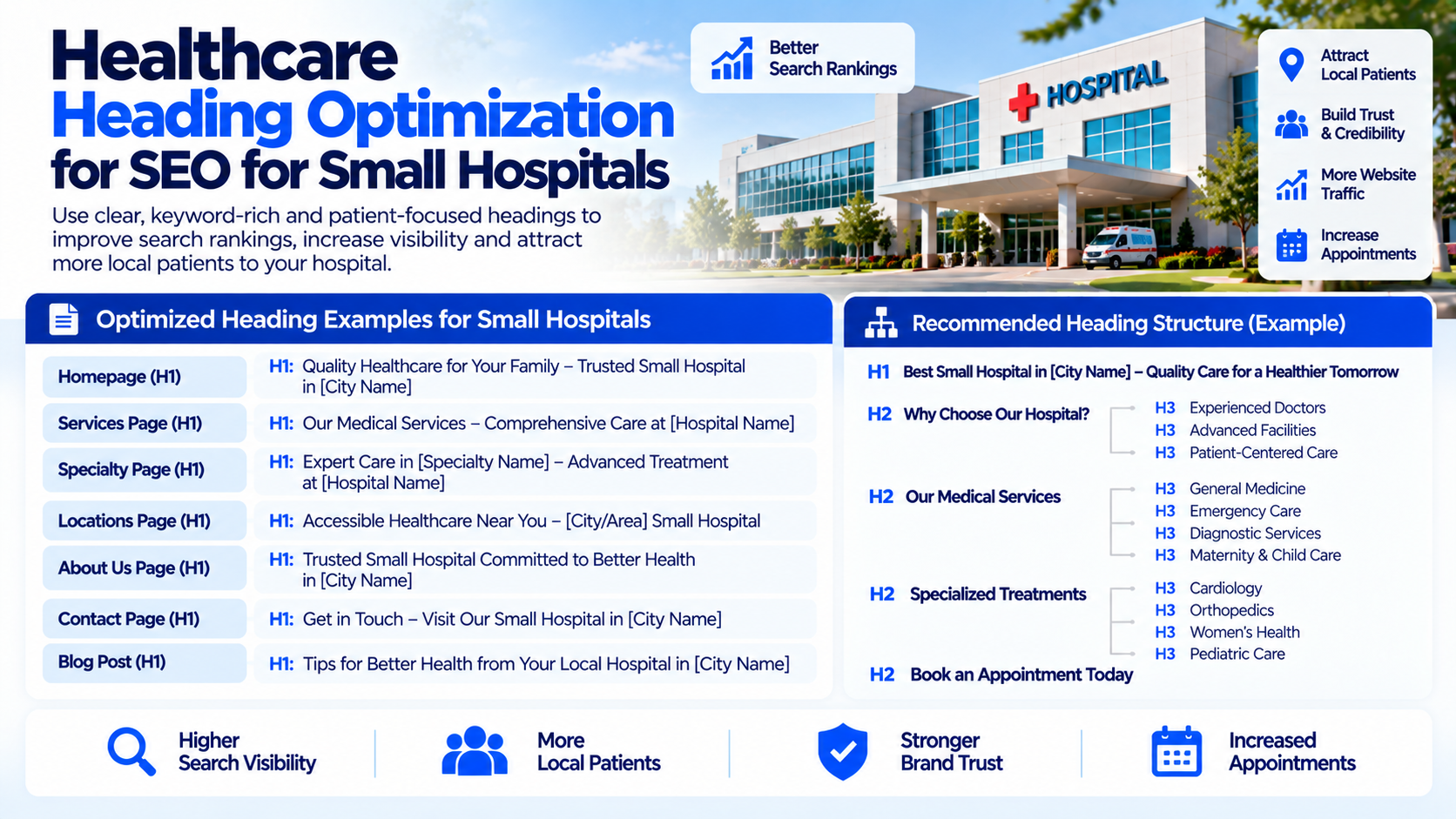
Grace manages the website for a 50-bed community hospital. One afternoon she watched a recording of a visitor trying to find maternity information. The visitor scrolled up, scrolled down, squinted at the screen and left. Grace opened the same page and saw the problem at once. The page had four large headings that all looked equally important, one of which said only "Welcome." There was no clear starting point.
Headings are the signposts of a web page. For small hospitals, clear headings help worried visitors find answers fast and help search engines understand what each page covers. Here is how Grace's team fixed theirs.
The Page With Four Front Doors
Headings are labeled H1, H2, H3 and so on, from the main title to smaller subsections. When a page has too many top headings, or headings that say nothing, visitors lose their way and search engines get mixed signals. Grace decided each page deserved one clear front door.
One H1, One Clear Promise
- Use a single H1 per page that states exactly what the page is about.
- Write it in plain words patients would use, such as "Maternity Care at Lakeside Hospital."
- Keep it consistent with the page title, but not an exact copy if you can add useful clarity.
H2s as a Roadmap
If the H1 is the title, H2s are the chapters. Grace rewrote section labels so a visitor skimming only the H2s would understand the whole page:
- "What to expect during your stay"
- "Meet our care team"
- "Visiting hours and parking"
- "Common questions"
H3s for Details
- Use H3 headings to break a long section into smaller topics.
- Keep the order logical, never jumping from H2 to H4.
- Use headings for structure, not for making text bigger or bolder.
Speak Like Your Patients
Grace swapped internal terms for words people actually use. "Obstetrics and Gynecology Department" became "Pregnancy and Women's Health Care." She kept the clinical term in the body, so the page stayed precise, while the headings remained friendly.
Match Headings to Questions
- Turn common patient questions into H2 or H3 headings, such as "How do I prepare for surgery?"
- Answer each question directly in the paragraph below.
- Avoid clutter: only include questions that real patients ask.
A Small-Team Cleanup Plan
- List your most important pages: emergency, maternity, surgery, imaging and primary care.
- Check each for a single H1 and a logical outline.
- Rewrite vague headings such as "Welcome" and "More information."
- Make sure the website template does not turn the logo or menu into extra H1s.
- Recheck in a month using a crawl tool or browser extension.
Accessibility Is Part of the Story
Screen readers rely on headings to help people navigate. Clear, ordered headings make your hospital website easier for patients with visual impairments to use, which is good care and good SEO at once.
Mistakes to Steer Clear Of
- Multiple H1s competing on one page.
- Headings that say nothing, like "Welcome" or "Overview."
- Keyword-stuffed headings that read awkwardly.
- Skipping heading levels just for visual style.
The Next Chapter: When the Hospital Has Many Doors
A few weeks later, Grace met a colleague who runs web content for a hospital with five campuses. Her colleague asked, "How do I keep headings clear when every campus has its own version of the same page?" It is a thoughtful question with a different set of answers, and it is where our story goes next: heading optimization for multi-location hospitals.
If your small hospital would like clearer headings that help patients and search engines, Nova Reach Digital can help you plan and implement them.
Get Directions
Frequently Asked Questions
Keep reading
Healthcare Meta Description Optimization for Healthcare Startups
A cofounder story for healthcare startups on writing meta descriptions that explain the service plainly, build trust without hype and fit a founder-friendly review workflow.
Healthcare Meta Description Optimization for Local Healthcare Providers
A friendly story for local healthcare providers on replacing menu-text snippets with warm, nearby-focused meta descriptions, using a quick template and a few simple measurement habits.
Healthcare Meta Description Optimization for Hospital Marketing Teams
A process-focused story for hospital marketing teams on managing meta descriptions: clear roles, a one-page guide, a shared tracker, a review cycle and protection against overwritten text.
Put These Ideas to Work with NovaReach
Automate your marketing, launch AI voice agents, and keep every lead moving, all from one dashboard.