Healthcare Meta Description Optimization for Medical Practices
A story-first guide for medical practices on turning everyday phone questions into meta descriptions that answer patients early, with templates, priority pages and a monthly freshness check.
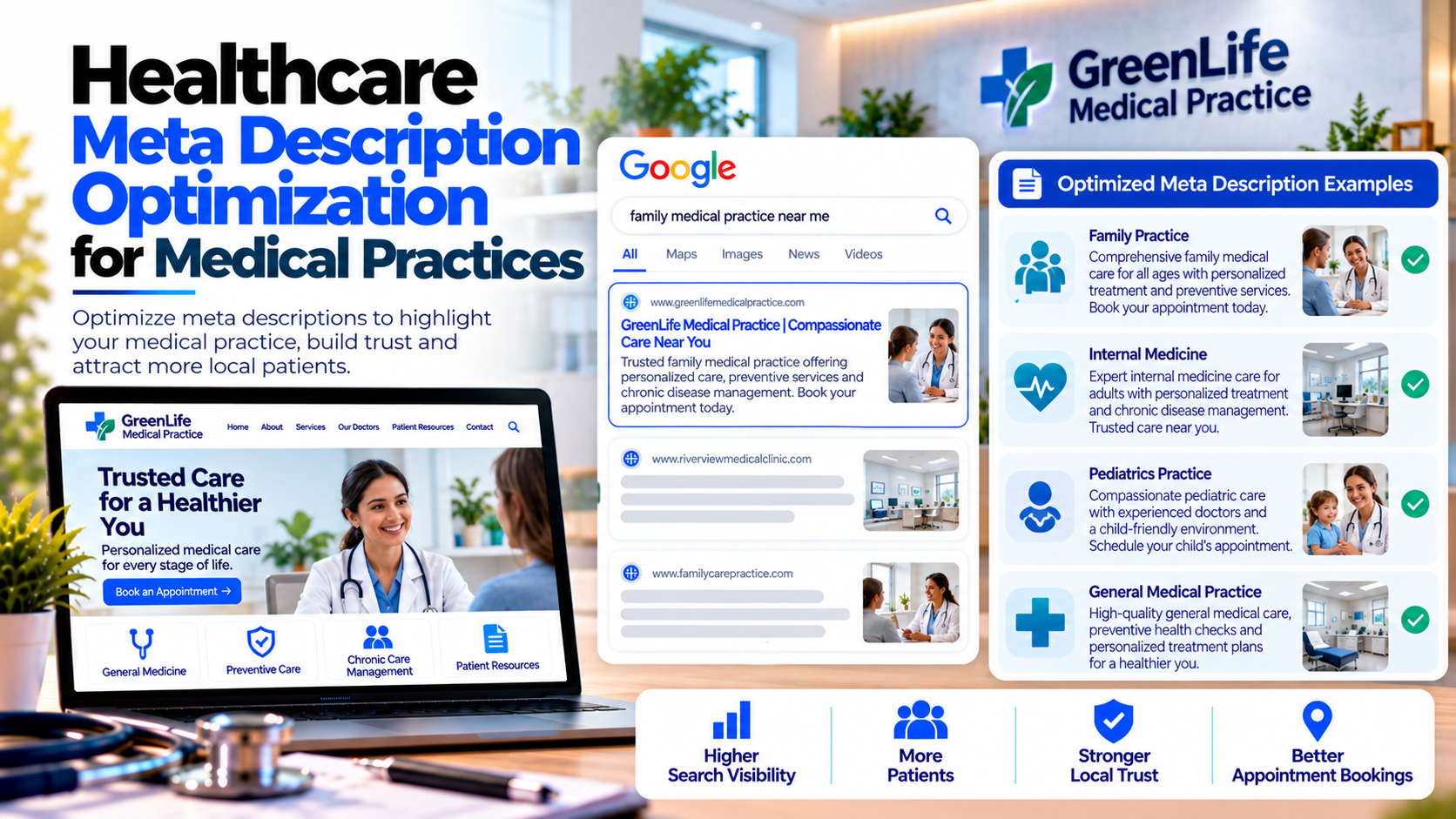
The front desk at Greenfield Medical Practice rings all day. One Tuesday, the office manager, Tasha, noticed a pattern in the calls: "Do you take new patients?" "Are you open Saturdays?" "Do you accept my insurance?" She laughed and said, "Our website knows all of this. Why doesn't Google?" It did, in fact. The pages said everything. But the search snippets said none of it.
Independent medical practices handle a wide mix of patient needs, from sore throats to annual physicals. Meta descriptions are a low-cost way to answer common questions before a patient even reaches the website. Here is how Tasha's practice did it.
The Calls That Should Have Been Clicks
Many phone calls to a practice are really search questions that did not get answered on the results page. A clear meta description can reduce those calls and welcome more new patients who feel confident enough to book.
Turn Common Phone Questions Into Snippets
- Accepting new patients, if true and kept up to date.
- Insurance information, in general terms and with a link to details.
- Office hours, including weekends or evenings.
- Same-day or walk-in availability, if offered.
A Practical Template
- Service or provider: Family medicine, pediatrics or a named doctor.
- Convenience: One practical detail that helps patients decide.
- Action: Book online or call the office.
Stay within roughly 120 to 155 characters so mobile users see the full message.
Prioritize the Pages That Bring New Patients
- Home page and "new patients" page.
- Core service pages, such as physicals, vaccinations and chronic care.
- Provider pages for each doctor or nurse practitioner.
- Insurance and billing pages.
- Contact and location page.
Keep Facts Fresh
An outdated snippet is worse than none. Tasha added a short monthly task: confirm that hours, accepted insurance, new-patient status and providers match what the descriptions say. Whenever something changes, the description changes at the same time.
Wording Care
- Avoid exaggerated claims and guarantees.
- Keep patient information out of descriptions entirely.
- Do not state insurance acceptance unless it is verified and current.
- Have a clinician or compliance advisor review wording about medical services.
Check Whether It's Working
- Compare click-through rates in Search Console before and after rewriting.
- Track new-patient appointment requests from organic search.
- Ask new patients how they found the practice and what convinced them.
Pitfalls to Skip
- Empty descriptions that leave the choice to search engines.
- Same text for every provider page.
- Stale information about hours or insurance.
- Cluttered snippets that try to say everything.
Handing the Pen to a Whole Team
As Tasha shared her results with a friend at a larger hospital, the friend sighed. "You made these changes in a month. For us, there are five people in marketing, a web vendor, and a compliance team. Everyone touches the snippets, and no one knows who is responsible." That process challenge is the next chapter of our story: meta descriptions for hospital marketing teams.
If your medical practice would like clearer, patient-friendly meta descriptions, Nova Reach Digital can help you plan and implement them.
Frequently Asked Questions
Keep reading
Healthcare Heading Optimization for SEO for Small Hospitals
A story-led guide for small hospitals on heading optimization: one clear H1, H2s as a roadmap, patient-friendly wording, question-based sections and a simple cleanup plan that also supports accessibility.
Healthcare Meta Description Optimization for Healthcare Startups
A cofounder story for healthcare startups on writing meta descriptions that explain the service plainly, build trust without hype and fit a founder-friendly review workflow.
Healthcare Meta Description Optimization for Local Healthcare Providers
A friendly story for local healthcare providers on replacing menu-text snippets with warm, nearby-focused meta descriptions, using a quick template and a few simple measurement habits.
Put These Ideas to Work with NovaReach
Automate your marketing, launch AI voice agents, and keep every lead moving, all from one dashboard.