What Are the Top CRM Automation Tools for Small Businesses in New York? Reading the Pipeline Stages, the Five Steps, the Costs and the Sample Follow-Up Rate
A question-and-answer guide to top CRM automation for small businesses in New York: which tasks to automate first, why setups fail, 5 steps to start, a weak vs stronger table, a sample follow-up chart, costs, rules and FAQs.
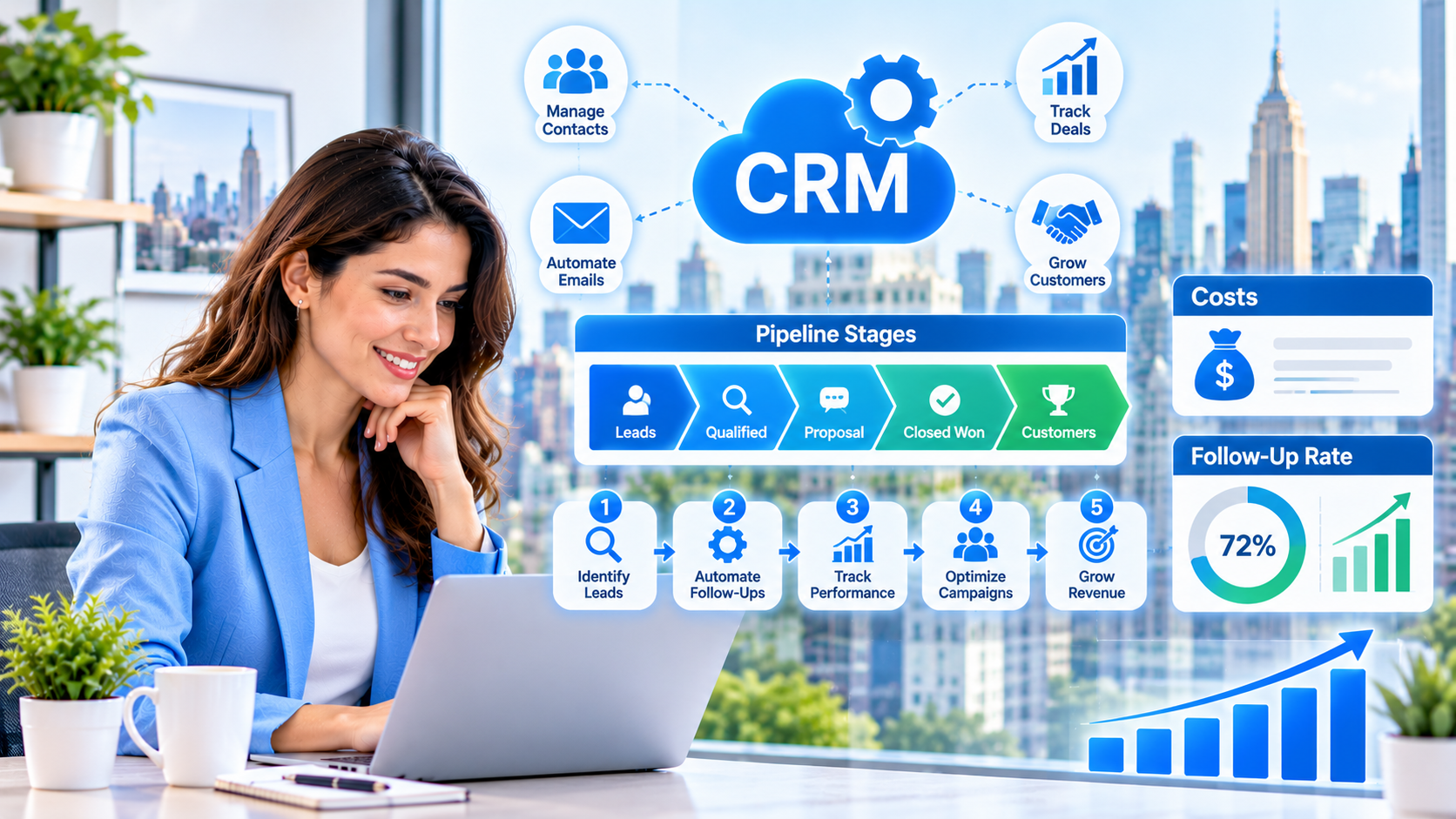
When a small business owner in New York searches for "top CRM automation," the real problem is usually not the software. It is that customer details live in too many places: an inbox, a spreadsheet, a phone, a few sticky notes. Follow-ups get forgotten, old customers go quiet and nobody is sure who said what to whom. This guide answers the question in plain question-and-answer form: what CRM automation does, which tasks to automate first, why setups fail, five steps to start, what it may cost, and how to keep customer data safe.
What is CRM automation in simple terms?
A CRM (customer relationship management) system is a single place that stores every contact, conversation and deal. CRM automation adds rules on top: when a new lead arrives, the system saves it, sends a first reply, assigns an owner and sets a reminder. When a deal is won or lost, it updates the record, thanks the customer or moves them into a different follow-up path.
The goal is simple: nothing falls through the cracks, and your team spends less time on data entry and more time talking to people. Automation also helps you re-engage past customers, which is often the cheapest growth available. Our CRM database reactivation service focuses on exactly that.
What does "top" mean when choosing CRM automation?
The top CRM is not the one with the most buttons. It is the one your team will actually update, that fits your type of business, connects to your forms, phone, email and texting, and lets you set simple rules without a developer. A clean, small CRM used daily is better than a powerful one that is half empty.
Which CRM tasks should you automate first?
| Task | Automate it? | What it saves |
|---|---|---|
| Saving new leads from forms and calls | Yes | Manual typing and lost inquiries |
| First reply to a new lead | Yes | Slow response time |
| Assigning a lead to a team member | Yes | Confusion about who follows up |
| Follow-up reminders and tasks | Yes | Forgotten callbacks |
| Moving deals through stages | Partly | Status updates, with a person confirming key moves |
| Reactivating old customers | Yes | Hours of manual list work |
| Personal conversations and negotiation | No | Needs a person |
What features do the best CRM automation tools include?
- Contact capture. Forms, calls, chat and messages create records automatically.
- Pipeline view. You can see every deal and its stage at a glance.
- Workflow rules. "If this happens, then do that" without writing code.
- Email and text templates. Short, editable messages that go out on a schedule.
- Lead scoring. The hottest leads rise to the top. See our guide to AI lead scoring.
- Reporting. Leads, wins, losses and response time in one view.
- Integrations. It works with your calendar, forms and marketing automation tools.
Why does CRM automation often disappoint?
- Messy data from day one. Duplicates, missing phone numbers and unclear statuses make every rule unreliable.
- Too many fields. Long forms make the team skip updates.
- Automating a broken process. If nobody agrees how a lead should be handled, software only makes the confusion faster.
- No owner. Nobody cleans data or reviews rules, so errors pile up.
- Too many rules too soon. Ten workflows in a week make it hard to find which one causes a problem.
What are the five steps to start CRM automation?
- Draw your simple pipeline. Write 4 to 6 stages, such as New, Contacted, Booked, Proposal and Won or Lost.
- Clean your contact list. Remove duplicates, add missing sources and mark every contact as active, customer or inactive.
- Connect your capture points. Link website forms, calls, chat and email so new contacts appear automatically.
- Automate one path. For example: new lead, instant reply, task for a team member within one hour, reminder on day three.
- Review monthly. Check data quality and results, remove rules that do not help and add the next workflow only when the first is stable.
What does weak CRM use look like compared with a stronger setup?
| Area | Weak approach | Stronger approach |
|---|---|---|
| Data | Duplicates and blanks | Clean records with source and status |
| Pipeline | 15 confusing stages | 4 to 6 clear stages |
| Follow-up | Depends on memory | Automatic tasks and reminders |
| Ownership | Nobody in charge | One named person reviews the CRM |
| Old customers | Forgotten | Regular reactivation messages |
What could the results look like?
The table below is an illustrative sample, not a guarantee. It shows how the share of leads with a recorded follow-up task might change after a team starts using automatic reminders in its CRM.
| Period | Leads with a follow-up task | Visual |
|---|---|---|
| Before automation | 35% | ███████ |
| Month 1 | 65% | █████████████ |
| Month 2 | 85% | █████████████████ |
| Month 3 | 97% | ███████████████████ |
Fewer forgotten leads is usually the first visible gain. Extra sales, if they come, should be measured against your own baseline.
Which numbers should you track in your CRM?
- New leads per month. And which source each one came from.
- Time to first contact. How quickly your team responds.
- Stage conversion. How many leads move from one stage to the next.
- Win rate. The share of deals that become customers.
- Reactivated customers. Past customers who return after a re-engagement message.
How much does CRM automation cost?
Costs depend on the number of users, contacts, channels and support. Compare the monthly plan, setup help, message charges and the time saved by your team. Many small businesses prefer one connected platform to a CRM, email tool and texting tool that do not talk to each other. You can see what is bundled on the pricing page.
What rules keep CRM automation safe and respectful?
- Collect only what you need. More data means more risk.
- Respect consent. Follow email and text rules and honor opt-outs quickly.
- Limit access. Only the people who need customer details should see them.
- Be careful with sensitive details. Health, financial and identity information needs extra protection.
- Keep humans involved. Let a person review important messages and handle complaints.
Is CRM automation right for every business?
Not always. If you have a handful of customers and know each by name, a simple contact list may be enough. A CRM with automation pays off when leads, follow-ups and past customers outnumber what one person can remember. At that point, pair it with lead generation scoring and a steady content and local SEO plan so there is always a fresh stream of leads to manage.
You can also read how follow-up keeps customers returning in our guide to customer engagement automation. At Nova Reach Digital, we help small businesses organize contacts, automate follow-up and reconnect with past customers. To talk about your setup, contact our team.
Frequently Asked Questions
Keep reading
What Are the Top Healthcare Marketing Automation Options for Clinics in New York? Reading the Patient Tasks, the Five Steps, the Privacy Rules and the Sample No-Show Rate
A question-and-answer guide to top healthcare marketing automation for clinics in New York: which tasks to automate, why setups disappoint, 5 steps to start, a weak vs stronger table, a sample no-show chart, costs, privacy rules and FAQs.
What Are the Top AI Voice Agents for Small Businesses in New York? Reading the Call Types, the Five Steps, the Costs and the Sample Missed-Call Recovery
A question-and-answer guide to top AI voice agents for small businesses in New York: what they do, which calls to automate first, 5 steps to set one up, a weak vs stronger table, a sample missed-call chart, costs, rules and FAQs.
What Are the Top Lead Generation Automation Tools for Small Businesses in the United States? Reading the Capture Points, the Five Steps, the Costs and the Sample Follow-Up Speed
A question-and-answer guide to top lead generation automation for US small businesses: what to automate first, why setups disappoint, 5 steps to start, a weak vs stronger table, a sample response chart, costs, rules and FAQs.
Put These Ideas to Work with NovaReach
Automate your marketing, launch AI voice agents, and keep every lead moving, all from one dashboard.