What Are the Top Workflow Automation Tools for Small Businesses? Reading the Tool Comparison, the Five Steps and the Sample Admin Time
A question-and-answer guide to choosing among the top workflow automation tools for small businesses: what they do, why automations break, 5 steps to build the first one, a tool table, a sample admin-time chart, rules and FAQs.

Workflow automation is the use of software to connect your apps so that routine tasks happen automatically, for example when a form fill creates a CRM contact, sends a welcome email and alerts your team, with no copying and pasting between tools. Small businesses searching for the "top" workflow automation tools will find many lists, but a ranking cannot tell you which tool fits your apps, your skills and your budget. This guide explains, in a question-and-answer format, how to compare workflow automation tools for a small business, which workflows to automate first, and how to build your first one in five steps, with a sample admin-time result and a checklist of rules. It makes no promise of specific results and does not rank any named product.
Key Findings
- 5 steps help you build your first automation safely: pick one repetitive task, write each step on paper, build it in test mode, add a failure alert, and review weekly for the first month.
- In the illustrative model below, weekly hours spent on copy-and-paste admin fall from 12 to 3 over about three months.
- 5 workflows are good starting points: lead capture to CRM, instant follow-up, appointment reminders, invoice and payment alerts, and review requests.
- Error alerts and simple designs matter most, because silent failures and complex flows that nobody understands cause the biggest problems.
- All figures in this article are illustrative examples, not guaranteed results.
What Does Workflow Automation Do?
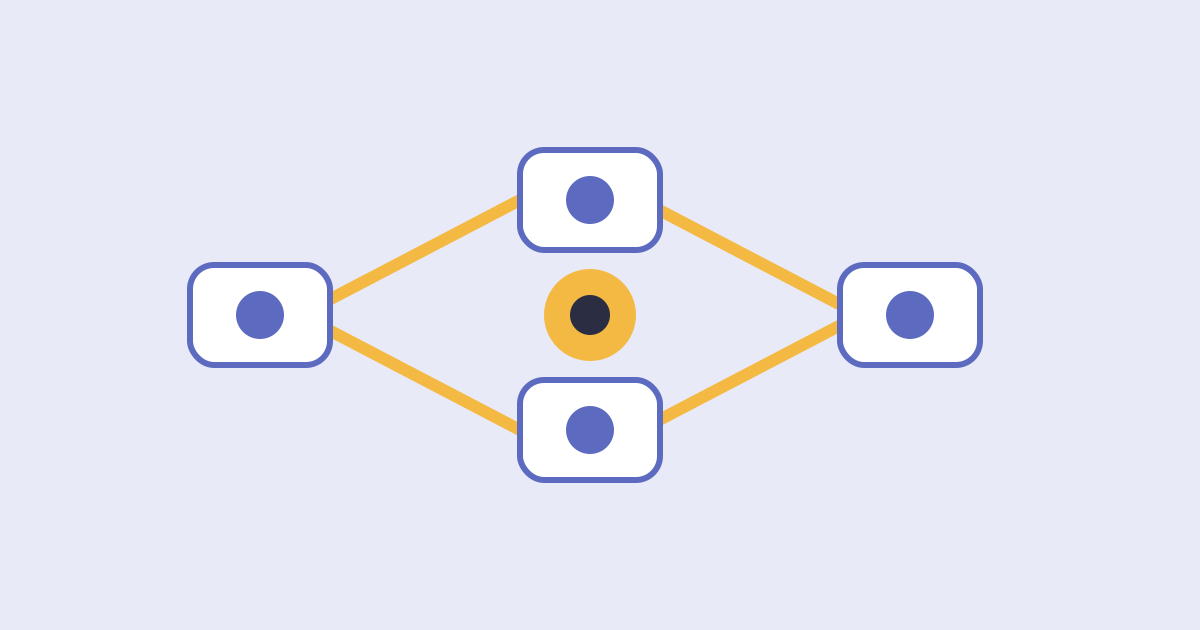
It moves information and triggers actions between your apps. A trigger, such as a new form submission, starts a series of steps, such as creating a record, sending a message and notifying a person. Popular tools such as Zapier, Make, n8n and Microsoft Power Automate differ in ease of use, flexibility and price, and plans and limits change often, so check each vendor's current details. For a bigger picture of connected marketing tools, read our guide to how digital marketing automation connects ads, email and follow-up into one system.
Why Do Automations Often Break or Get Abandoned?
Most are abandoned because they were built around a messy process. Common causes include:
- The process was unclear, so the automation repeats confusion faster.
- There are no error alerts, so failures go unnoticed for weeks.
- Flows are complex and only one person understands them.
- Sensitive data is passed through tools that were never checked.
- Nobody reviews the automations as apps and processes change.
How Can You Build Your First Automation? 5 Steps
1. Pick One Repetitive Task
Start with something that happens every day and follows clear rules. A common choice is sending new website leads to your CRM and replying instantly. Our article on how fast to follow up with a new lead explains why this one pays off.
2. Write Each Step on Paper First
Design before you build. List the trigger, each action, who is notified and what should happen when something goes wrong. If you cannot explain it on paper, simplify it.
3. Build It in Test Mode
Use fake data first. Run test leads through the flow, check every record and message and fix problems before real customers are involved. A marketing automation service can build and test flows for you.
4. Add a Failure Alert
Never let it fail silently. Set an alert to an email or chat channel that a person actually reads, so errors are fixed the same day.
5. Review Weekly for the First Month
Watch it in real use. Check a sample of runs each week, fix edge cases, and write a short note about what the automation does so others can maintain it.
| Tool | Often chosen for | Skill needed |
|---|---|---|
| Zapier | Large app library and quick setup | Low |
| Make | Visual, flexible multi-step flows | Low to medium |
| n8n | Technical control and self-hosting | Medium to high |
| Microsoft Power Automate | Businesses using Microsoft 365 | Medium |
| Built-in CRM automations | Simple workflows inside one app | Low |
How Much Admin Time Can You Save? A Sample Graph
In this illustrative example for a New York small business, weekly hours spent on copy-and-paste admin fall from 12 to 3 over about three months. The bars run from top to bottom in the same order as the table below, and each block (█) equals 1 hour.
| Stage | Admin hours per week | Bar chart |
|---|---|---|
| Manual copy and paste | 12 | ████████████ |
| Month 1: lead capture automated | 8 | ████████ |
| Month 2: reminders and alerts automated | 5 | █████ |
| Month 3: reviews and reports automated | 3 | ███ |
What Should You Measure?
Four measures show whether the automations are worth keeping.
- Admin hours saved each week.
- Time from new inquiry to first reply.
- Number of failed runs and how fast they were fixed.
- Monthly cost of tools compared with the time saved.
What Rules Should You Follow?
Your business is responsible for the data and messages your automations handle.
- Pass only the data a workflow needs, and avoid sending sensitive information through tools you have not vetted.
- Use strong passwords and two-step verification on every connected account, and remove access when people leave.
- Get consent before automated marketing texts or emails, include opt-outs and honor them.
- Keep a short record of what each automation does and who owns it.
- Check vendor terms on data storage and confirm you can export or turn off your flows.
Methodology and Limitations
The numbers in this article come from an illustrative model created by Nova Reach Digital to show how each step may affect admin time. They are not drawn from a published study or a specific client, and no one can guarantee results. Outcomes depend on your processes, tools, data quality and how well automations are maintained. Vendor features and pricing change, so check current details. This article does not rank or endorse any named product. It is general information and not legal, financial or professional advice.
Related Reading
- 10 marketing tasks New York businesses can automate using AI
- AI marketing analytics and campaign automation
- How to choose a marketing automation agency you can trust
Conclusion
The right workflow automation tool for your small business is the one that handles a real repetitive task reliably and simply enough that your team can maintain it. Pick one task, design it on paper, test it with fake data, add a failure alert and review it weekly at first. If you want help with workflow automation, contact Nova Reach Digital or read more about our marketing services.
Get Directions
Frequently Asked Questions
Keep reading
What Are the Top Email Marketing Automation Tools for Small Businesses? Reading the Tool Comparison, the Five Steps and the Sample Email Bookings
A question-and-answer guide to choosing among the top email marketing automation tools for small businesses: what they do, why programs underperform, 5 steps, a weak vs stronger table, a sample bookings chart, rules and FAQs.
What Are the Top Social Media Automation Tools for Small Businesses? Reading the Tool Comparison, the Five Steps and the Sample Posting Time
A question-and-answer guide to choosing among the top social media automation tools for small businesses: what to automate, why accounts feel robotic, 5 steps, a weak vs stronger table, a sample time-savings chart, rules and FAQs.
How Do You Choose Among the Top Digital Marketing Agencies in NYC? Reading the Agency Types, the Five Steps and the Sample Cost Per Customer
A question-and-answer guide to choosing among the top digital marketing agencies in NYC: what agencies do, why businesses switch, 5 steps to choose, an agency-types table, a sample cost-per-customer chart, rules and FAQs.
Put These Ideas to Work with NovaReach
Automate your marketing, launch AI voice agents, and keep every lead moving, all from one dashboard.