Healthcare Internal Linking Strategy for Hospital Marketing Teams
A process-focused guide for hospital marketing teams on internal linking: ownership maps, linking rules, editorial workflow steps, campaign page handling and quarterly link health checks to support healthcare website SEO.
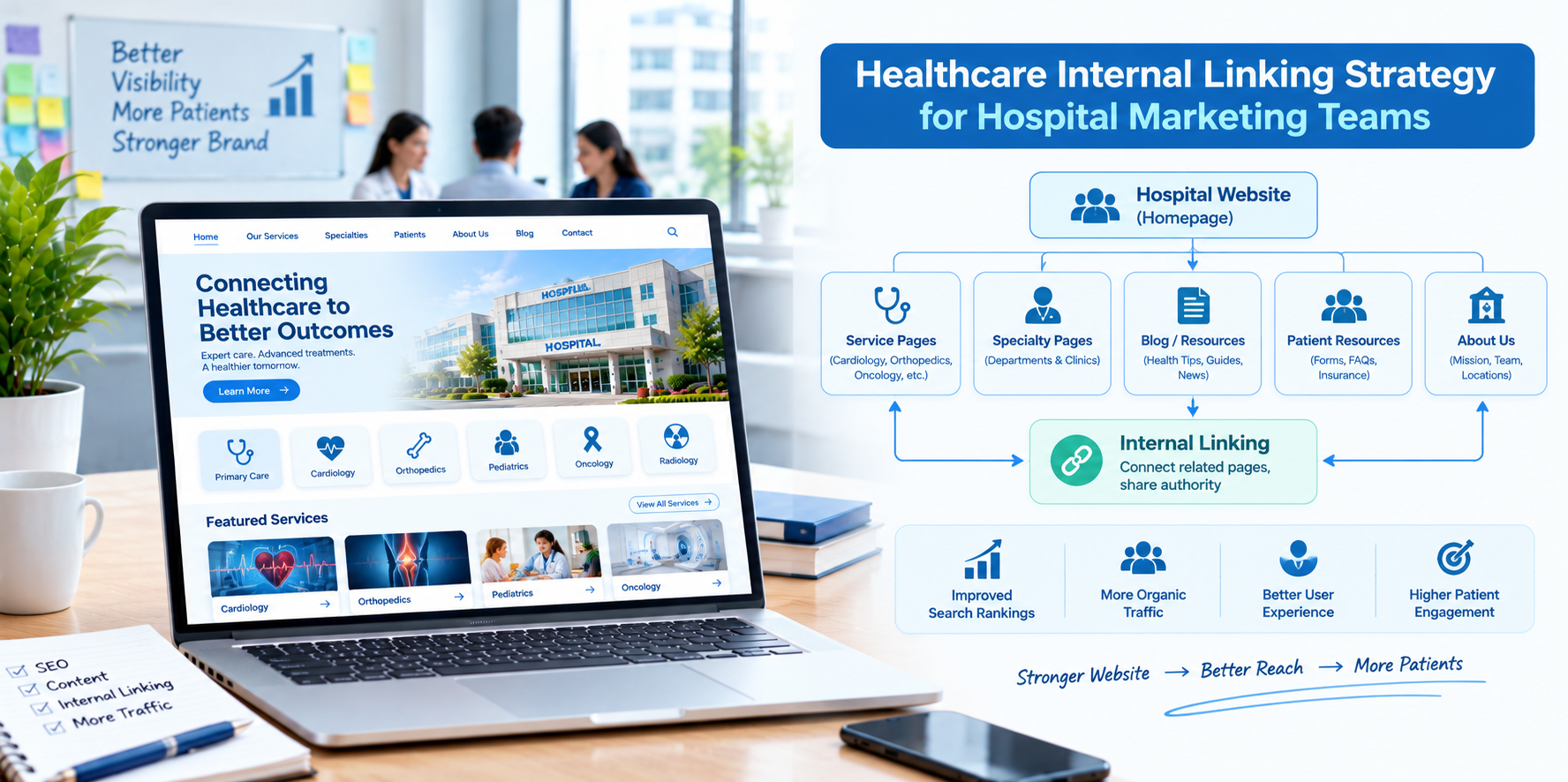
Hospital marketing teams juggle service line campaigns, physician requests, community events, social media, reputation and website updates, often with a lean team and many stakeholders. Internal linking rarely gets priority because it feels technical and invisible. Yet it is one of the few SEO levers a marketing team can pull without a big budget, a developer or a vendor. It is also easy to break when many people publish pages without a shared plan.
This guide is written for hospital marketing teams in the USA. It focuses on process: who owns links, how to build linking into your content workflow, how to keep service line campaigns connected and how to report results to leadership, all while supporting healthcare website SEO.
Why Internal Linking Becomes a Team Problem
- Many publishers: Service line leaders, physicians, communications staff and agencies all add pages.
- Campaign pages that go stale: Landing pages for events and promotions get created, then forgotten, but still receive links.
- No shared source of truth: No one knows which page is the main page for each service.
- Staff turnover: Knowledge of site structure leaves with people.
Step 1: Create a Page Ownership Map
Build a simple spreadsheet or content inventory with these columns: page URL, page type, service line, owner, primary topic, last reviewed date and key pages it should link to. For each service line, mark the single "primary page" that should be the main destination for that topic. This map becomes your linking reference.
Step 2: Define Page Types and Linking Rules
Write short rules that anyone on the team can follow:
- Service line hub pages: Must link to conditions, treatments, physicians, locations and booking.
- Condition and treatment pages: Must link to the hub, to relevant physicians and to a booking option.
- Physician profiles: Must link to the service lines and locations where the physician practices.
- Location pages: Must link to the services offered there and to directions and parking.
- Blog and news posts: Must link to at least one relevant service or physician page.
- Campaign landing pages: Must link to the main service hub and, after the campaign ends, be redirected or archived.
Step 3: Build Linking Into the Content Workflow
The easiest time to add links is when content is created. Add these steps to your editorial process:
- Brief: The brief names the primary page the new content should support.
- Draft: The writer adds two to five relevant internal links using descriptive anchor text.
- Clinical review: A clinician confirms accuracy of the content and the pages linked.
- Pre-publish check: An editor confirms that links work, anchors are clear and the page links to booking where appropriate.
- Post-publish: Add links from at least two existing related pages to the new page.
That last step is the one teams most often skip. A new page with no links pointing to it has little chance of being discovered.
Step 4: Connect Campaigns to Evergreen Pages
Marketing campaigns often live on temporary pages. To keep them useful:
- Link the campaign page to the evergreen service line hub so visitors can go deeper.
- Add a link from the hub or relevant physician pages to the campaign page while it is active.
- When the campaign ends, redirect the page to the most relevant evergreen page and remove old links.
- Avoid creating a new page for each campaign when an update to an existing page would serve patients better.
Step 5: Standardize Anchor Text
Create a short guide with approved naming for services, locations and programs. For example, if the program is "Heart and Vascular Institute," use that name consistently in anchors. Encourage descriptive, natural anchors, and avoid "click here." Remind writers that anchors should make sense to patients using screen readers.
Step 6: Run Quarterly Link Health Checks
- Crawl the site with an SEO crawling tool.
- List broken links and fix or redirect them.
- Identify orphan pages and decide to link, merge or retire them.
- Review top-traffic pages to make sure each links to a next step.
- Check redirect chains created by past rebrands and website changes.
- Update the page ownership map.
Working With Physicians and Service Line Leaders
Stakeholders often ask for new pages or prominent links. Give them a simple way to say yes without breaking structure:
- Share your page types and linking rules in plain language.
- Offer to add the physician or program to the right hub page instead of creating a new standalone page.
- Show data, such as appointment requests from a service line page, to explain what works.
- Agree on review dates so physician profiles and program details stay current.
Working With Agencies and Vendors
- Share your ownership map and linking rules in every statement of work.
- Require that agencies add internal links and report new pages in your inventory.
- Ask for a link audit as part of onboarding and quarterly reviews.
- Make sure vendors do not place patient information in URLs or tracking parameters.
Using AI Tools Safely
AI tools can help scan content for linking opportunities, suggest anchor text and flag orphan pages. Treat suggestions as drafts: confirm that every recommended link is relevant and accurate, and that clinical content is reviewed by qualified staff. Do not paste protected health information into tools that your organization has not approved.
Compliance Reminders
- Coordinate with compliance on tracking tools used on appointment and portal pages.
- Keep patient stories and images linked only with proper written authorization.
- Keep clinical content reviewed and dated.
This is general information, not legal advice.
Reporting Results to Leadership
- Visibility: Impressions and clicks for priority service line pages.
- Engagement: Click-through from educational content to service and physician pages.
- Conversion: Appointment requests and calls from key pages.
- Site health: Number of broken links and orphan pages over time.
- Efficiency: Hours saved by using standard rules and templates.
Common Mistakes
- Treating linking as a one-time project. It is a habit.
- Publishing without adding links to the new page.
- Letting campaign pages pile up.
- No owner. Shared responsibility often means no responsibility.
- Over-linking. Too many links per page reduce clarity.
Final Thoughts
For a hospital marketing team, internal linking works best as a repeatable process, not a clever tactic. Create an ownership map, set simple rules, build links into your editorial workflow and review the site quarterly. If your team would like help creating an internal linking framework, Nova Reach Digital can help you design and implement one.
Frequently Asked Questions
Keep reading
Healthcare Internal Linking Strategy for Multi-Location Hospitals
How multi-location hospitals can build an internal linking strategy that connects locations, service lines and physicians, avoids page cannibalization and improves healthcare website SEO.
Healthcare Internal Linking Strategy for Private Hospitals
How private hospitals can use internal linking to build service line hubs, connect physicians and practical information, and guide patients from research to appointment while improving healthcare website SEO.
Healthcare Internal Linking Strategy for Specialty Clinics
How specialty clinics can use internal linking to connect conditions, treatments and providers, build topical depth and guide patients from research to consultation while improving healthcare website SEO.
Put These Ideas to Work with NovaReach
Automate your marketing, launch AI voice agents, and keep every lead moving, all from one dashboard.