Healthcare Internal Linking Strategy for Private Hospitals
How private hospitals can use internal linking to build service line hubs, connect physicians and practical information, and guide patients from research to appointment while improving healthcare website SEO.
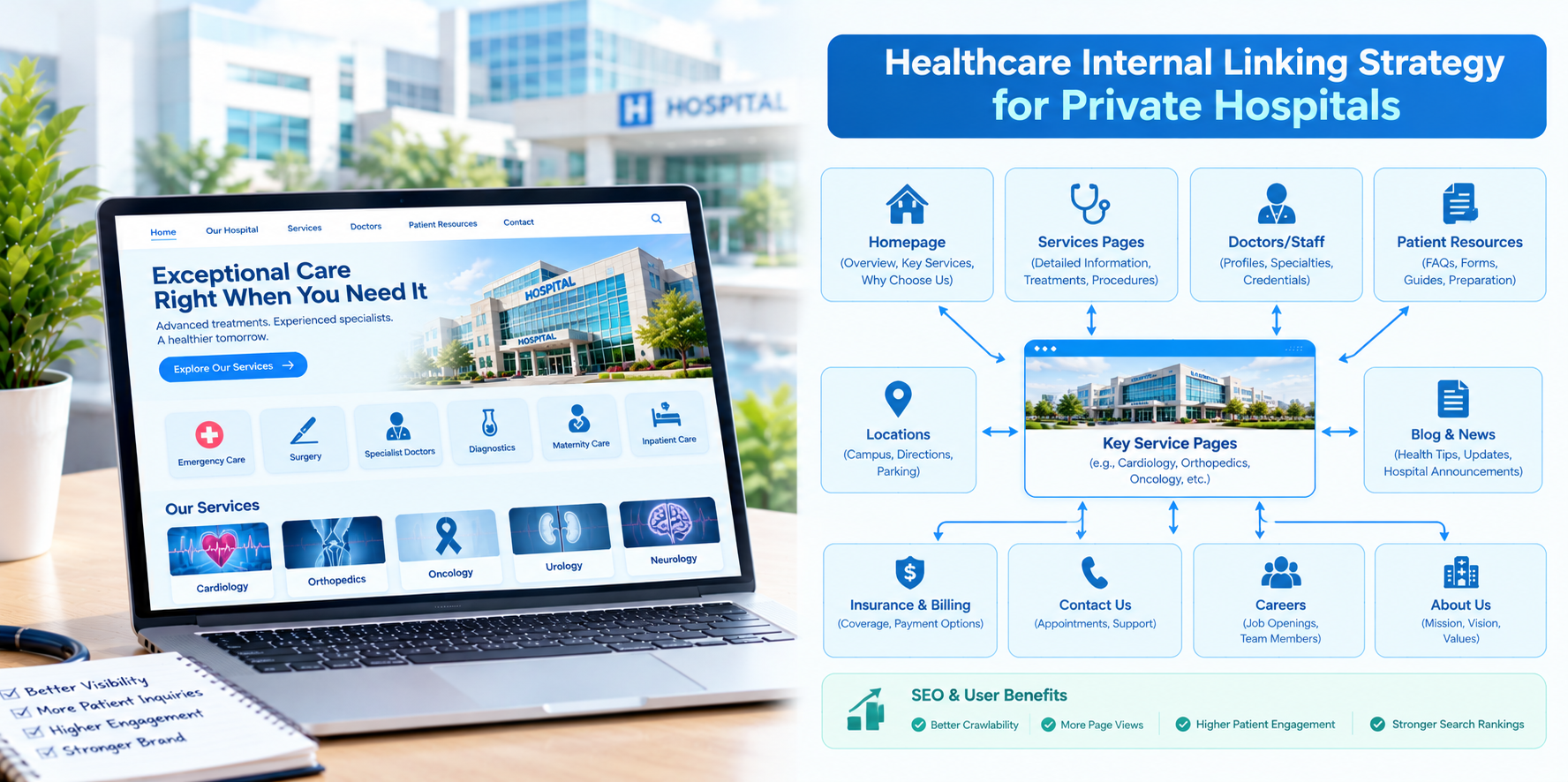
A private hospital often competes on more than clinical quality. Patients compare comfort, access, speed, physician reputation, transparent pricing and the overall experience, frequently before they ever call. Your website has to carry that comparison, and the way its pages link together decides whether a patient researching a procedure ends up on a booking page or gives up. Internal linking is how a private hospital website guides that journey.
This guide explains how private hospitals in the USA can use internal links to strengthen healthcare website SEO, showcase their specialties and make it easy for patients to move from information to appointment.
What Makes a Private Hospital Website Different
- Service line focus: Private hospitals often build their reputation around a handful of specialties, such as orthopedics, cardiac care, women's health or surgery.
- Physician-led decisions: Patients frequently choose a surgeon or specialist first and the facility second.
- Self-pay and package questions: Many visitors want to understand insurance acceptance, financing options and what is included in a procedure.
- Experience as a differentiator: Facilities, amenities, recovery and patient support matter to decision-making.
An effective internal linking plan reflects these realities.
Step 1: Define Your Priority Service Lines
Choose the specialties you most want to grow and treat each as a content hub. Every hub should include a main service line page and a supporting set of pages: conditions treated, procedures, recovery and aftercare, physicians, patient stories where authorized and frequently asked questions.
Step 2: Build the Hub-and-Spoke Structure
- The hub: The service line page, such as orthopedic surgery, which summarizes the service and links to each supporting page.
- The spokes: Detailed pages on specific conditions and procedures, such as knee replacement or rotator cuff repair.
- Links up: Each spoke links back to the hub using descriptive anchor text.
- Links sideways: Related spokes link to one another where it helps patients, such as from a knee replacement page to a page on physical therapy and recovery.
- Links to action: Every spoke includes a clear link to book, request a consultation or call.
Step 3: Link Physicians to Everything They Touch
Physician profiles are among the most important pages on a private hospital site. Link each profile to the service lines, procedures and locations that doctor is associated with. In turn, link from those pages to the relevant physicians. Keep profiles current with credentials, areas of interest and how to request an appointment.
Step 4: Connect Information Pages to Decision Pages
Patients researching a procedure often need practical answers before booking. Link service and procedure pages to:
- Insurance and billing information, including accepted plans and financial assistance where available.
- Pricing or package explanations where your organization provides them.
- Pre-visit preparation and what to expect on the day.
- Facility and patient experience pages.
- Patient resources such as forms, directions and parking.
Removing barriers between questions and answers is one of the strongest benefits of good internal linking.
Step 5: Use Contextual Links in Educational Content
Blog posts and guides should link naturally to the relevant service lines, physicians and booking pages. For example, an article on what to expect after joint replacement should link to the orthopedic hub, the surgeons who perform the procedure and the recovery support page. Place links where they genuinely help the reader, not just where they are convenient.
Anchor Text Best Practices
- Be descriptive: "orthopedic surgery services" says more than "learn more."
- Vary naturally: Use different but relevant phrasing across the site instead of repeating the exact same anchor everywhere.
- Keep it accessible: Links should make sense out of context for screen reader users.
- Avoid sensational language: Do not promise outcomes in link text.
Navigation and Site Architecture
- Limit main menu items to the most important paths: services, find a doctor, locations, patients and visitors, and book an appointment.
- Use breadcrumbs to show hierarchy, such as Home, Services, Orthopedics, Knee Replacement.
- Add related-content modules at the bottom of key pages that link to the next logical steps.
- Keep important pages within three clicks of the homepage.
Auditing Your Existing Links
- Crawl the website to find orphan pages, broken links and redirect chains.
- Review top pages by traffic and check whether they link to relevant next steps.
- Review service line pages to make sure each links to its supporting content and physicians.
- Check booking paths from key pages to confirm that scheduling is no more than a click or two away.
- Update outdated links to retired services, departed physicians or old pricing information.
Compliance and Accuracy
- Have clinicians review the medical content on any page you link into a patient journey.
- Be accurate about pricing, packages and insurance, and keep it updated.
- Do not include patient identifiers in URLs, and obtain proper authorization for any patient stories you link to.
- Review tracking tools on scheduling and portal pages with compliance and legal teams.
This is general information, not legal advice.
Measuring Results
- Organic traffic and impressions for service line and procedure pages.
- Click-through from educational pages to physician and booking pages.
- Appointment requests and calls by service line.
- Pages per visit and engagement on hub pages.
- Number of orphan and broken links over time.
Common Mistakes
- Dead-end content. Educational pages with no next step waste visitor interest.
- Buried physician profiles. Doctors should be easy to find from the pages that discuss their specialty.
- Outdated links. Links to removed pages damage trust and crawl efficiency.
- Over-linking. Dozens of links in a paragraph confuse readers.
Final Thoughts
For a private hospital, internal linking turns a collection of pages into a guided journey from curiosity to consultation. Organize your site around priority service lines, connect physicians and practical information and keep every link helpful and accurate. If you would like support improving your hospital's website structure and internal links, NovaReach Digital can help you plan and implement it.
Read More Blog - Healthcare Linking Strategy for Specialty Clinics
Frequently Asked Questions
Keep reading
Healthcare Internal Linking Strategy for Multi-Location Hospitals
How multi-location hospitals can build an internal linking strategy that connects locations, service lines and physicians, avoids page cannibalization and improves healthcare website SEO.
Healthcare Internal Linking Strategy for Specialty Clinics
How specialty clinics can use internal linking to connect conditions, treatments and providers, build topical depth and guide patients from research to consultation while improving healthcare website SEO.
Healthcare Internal Linking Strategy for Medical Practices
A practical guide for independent medical practices on internal linking: map your pages, connect services, providers and booking, link blog posts to service pages and improve healthcare website SEO without a big budget.
Put These Ideas to Work with NovaReach
Automate your marketing, launch AI voice agents, and keep every lead moving, all from one dashboard.