Healthcare Internal Linking Strategy for Specialty Clinics
How specialty clinics can use internal linking to connect conditions, treatments and providers, build topical depth and guide patients from research to consultation while improving healthcare website SEO.
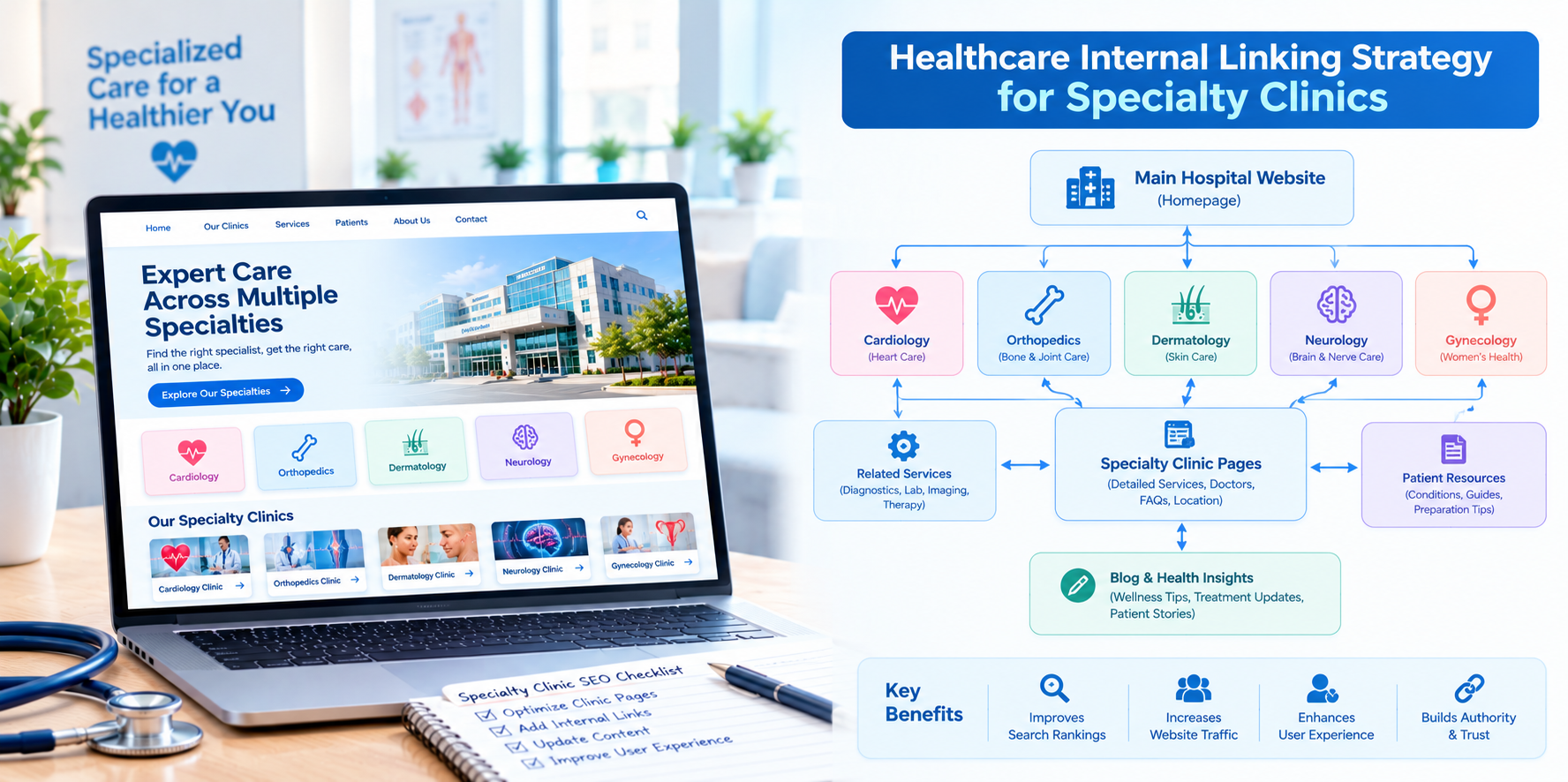
Specialty clinics win patients by being the obvious answer to a specific problem: a dermatology concern, a fertility journey, a spine injury, a hearing issue, a mental health need. Patients searching for that kind of care tend to research deeply. They read about conditions, compare treatments, look for the right specialist and want reassurance before they book. A specialty clinic website therefore lives or dies by how well its pages connect: condition to treatment, treatment to provider, provider to appointment.
This guide explains how specialty clinics in the USA can build an internal linking strategy that supports healthcare website SEO and guides patients from first question to first visit.
Why Specialty Clinics Have an Advantage, and a Responsibility
A specialty clinic can build real topical depth. Search engines tend to favor websites that cover a subject thoroughly and clearly, and internal links are how you show that depth. At the same time, patients with specific conditions often feel anxious, so clear, accurate and compassionate navigation matters as much as ranking.
The Core Framework: Condition, Treatment, Provider
For most specialty clinics, three page types form the backbone of the site:
- Condition pages: Explain what a condition is, common symptoms in general terms, when to seek care and what the clinic can do.
- Treatment pages: Describe the approaches the clinic offers, what to expect, recovery and relevant considerations.
- Provider pages: Introduce the clinicians, their training, areas of focus and how to book.
Link these types to one another in a deliberate pattern so every visitor can move naturally between them.
Step 1: Build a Topic Cluster for Each Core Specialty
- Create a pillar page for each major area, such as acne and skin conditions, spine care or fertility evaluation.
- Surround it with supporting pages: specific conditions, specific treatments, frequently asked questions, preparation and recovery guides.
- Link each supporting page to the pillar and the pillar to each supporting page.
- Link related supporting pages to each other where it genuinely helps the reader.
Step 2: Connect Conditions to Treatments
On every condition page, add clear links to the treatments the clinic offers for that condition, written in plain language. On every treatment page, link back to the conditions it addresses. This two-way connection helps patients understand their options and gives search engines a clear picture of your expertise.
Step 3: Connect Treatments and Conditions to Providers
Patients want to know who will treat them. Link treatment and condition pages to the providers who deliver that care, and link provider profiles back to their areas of focus. Keep each profile accurate with credentials, languages spoken and appointment options.
Step 4: Place Calls to Action Where Questions End
The most important link on a specialty clinic page is often the next step. Include links to request a consultation, book an appointment or call, placed after content that answers a patient's main questions. Add an "Is this right for me?" style link to a consultation page when appropriate, using careful, non-promissory language.
Step 5: Use Local Context
Most specialty clinics serve a geographic area. Link service pages to the relevant location pages, and link location pages to the specialties offered at each site. Where a clinic has several locations, connect each location to the providers and treatments available there.
Step 6: Link Patient Education and Practical Resources
- Preparation and aftercare: Link treatment pages to instructions on what to do before and after a visit, as approved by clinicians.
- Insurance and financing: Link to accepted plans, payment options and financial information, especially for elective or self-pay services.
- FAQs: Link to a central FAQ page and place relevant questions on key pages.
- Forms and portal access: Make these easy to find from patient resource pages.
Writing Good Anchor Text for Sensitive Specialties
- Describe the destination clearly, for example, "knee arthroscopy overview" rather than "click here."
- Use respectful, plain language, particularly for conditions that may feel personal or stigmatized.
- Avoid fear-based or exaggerated phrasing and avoid guarantees.
- Keep links accessible so they make sense to screen reader users.
Content Types That Strengthen Your Link Network
- Condition guides written with clinical review.
- Treatment explainers with realistic expectations.
- Comparison pages, such as when to consider one approach over another, written carefully and reviewed by clinicians.
- Provider Q&A and educational videos that link to profiles and services.
- Patient journey pages, explaining what the first visit looks like step by step.
A Simple Audit Process
- List all service, condition, treatment and provider pages.
- Check that each condition links to at least one treatment and one provider.
- Check that each treatment links back to related conditions and to booking.
- Find orphan pages using a site crawler.
- Review anchor text for clarity and tone.
- Test the booking path from five high-traffic pages on mobile.
Compliance and Sensitivity
- Have qualified clinicians review all medical content and update it regularly.
- Be careful with before-and-after images, testimonials and outcome claims, and follow applicable advertising and privacy rules with legal guidance.
- Avoid collecting sensitive health details through public forms unless the system is secure and approved for that use.
- Review website tracking tools on condition and appointment pages with compliance teams.
This is general information, not legal advice.
Metrics to Track
- Organic traffic and impressions for condition and treatment pages.
- Click-through from education pages to provider and booking pages.
- Consultation requests and calls by specialty.
- Engagement and pages per session on pillar pages.
- Number of orphan pages and broken links over time.
Common Mistakes
- Thin condition pages with no next step.
- Buried provider profiles.
- Linking to treatments that are not actually offered.
- Overly clinical or frightening language in links and headings.
- Neglecting mobile navigation. Many patients research from phones.
Final Thoughts
For specialty clinics, internal linking is how expertise becomes visible. Connect conditions, treatments and providers in a clear pattern, add helpful practical resources and place booking steps where questions end. If you would like help structuring your specialty clinic website and its internal links, AI Nova Reach can help you plan and implement a strategy that serves patients and supports search visibility.
Get Directions
Frequently Asked Questions
Keep reading
Healthcare Internal Linking Strategy for Multi-Location Hospitals
How multi-location hospitals can build an internal linking strategy that connects locations, service lines and physicians, avoids page cannibalization and improves healthcare website SEO.
Healthcare Internal Linking Strategy for Private Hospitals
How private hospitals can use internal linking to build service line hubs, connect physicians and practical information, and guide patients from research to appointment while improving healthcare website SEO.
Healthcare Internal Linking Strategy for Medical Practices
A practical guide for independent medical practices on internal linking: map your pages, connect services, providers and booking, link blog posts to service pages and improve healthcare website SEO without a big budget.
Put These Ideas to Work with NovaReach
Automate your marketing, launch AI voice agents, and keep every lead moving, all from one dashboard.