How Does Appointment Booking Automation Reduce No-Shows and Back-and-Forth? Reading the Booking Flow, the Five Steps and the Sample Show-Up Rate
A question-and-answer guide to appointment booking automation in the United States: how it reduces no-shows and back-and-forth, why they persist, 5 steps to build it, a weak vs stronger table, a sample show-up-rate chart, rules and FAQs.
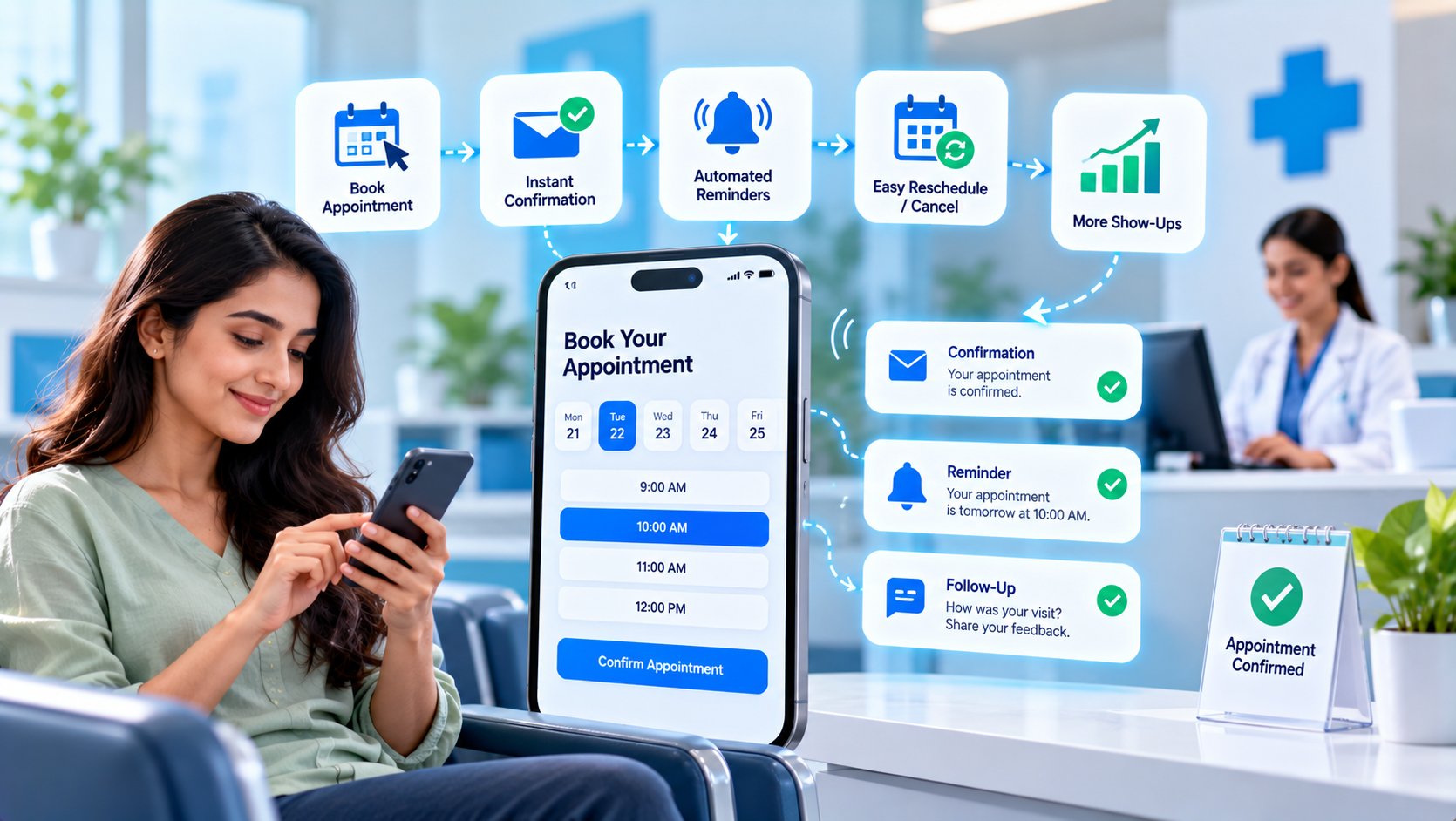
Appointment booking automation is the use of online scheduling, calendar syncing and automatic confirmations and reminders so that customers can book, change and cancel appointments on their own, without phone tag or back-and-forth messages. In the United States, service businesses such as clinics, salons, repair companies, consultants and tutors lose time and revenue to unanswered booking requests and no-shows. This guide explains, in a question-and-answer format, how appointment booking automation reduces no-shows and back-and-forth, what to set up first and how to build it in five steps, with a sample show-up-rate result and a checklist of rules. It makes no promise of specific results.
Key Findings
- 5 steps build a dependable booking system: define appointment types, durations and rules, add an online booking link and sync calendars, automate confirmations and reminders, handle reschedules, waitlists and changes, and review no-shows every month.
- In the illustrative model below, the show-up rate rises from 70% to 90% when all five steps are in place.
- Automatic reminders with an easy reschedule option give a large share of the gain in the sample, because many no-shows are forgotten appointments rather than refusals.
- 4 numbers are enough to judge the system: bookings made online, show-up rate, time spent scheduling and gaps filled.
- All figures in this article are illustrative examples, not guaranteed results.
What Is Appointment Booking Automation?
It is the set of tools that handle scheduling from first request to the visit. A customer picks a service and a time on your website, in a message or through a call handled by an assistant, the slot is checked against your real calendar, a confirmation is sent, reminders follow and the customer can reschedule with one click. After the visit, a thank-you or review request can go out. AI can help by answering scheduling questions in chat or on the phone. For the phone side, read our guide to AI virtual receptionists.
Why Do No-Shows and Scheduling Back-and-Forth Persist?
They persist because scheduling is handled by hand and reminders are inconsistent. Common causes include:
- Booking requires a phone call or a chain of messages during office hours.
- Calendars are kept in several places, so double-bookings happen.
- Reminders are sent only when someone remembers, or not at all.
- Rescheduling is difficult, so people simply do not show up.
- Empty slots from cancellations are never refilled. Our article on the limits of manual work describes how this pattern develops.
How Can a Business Build Appointment Booking Automation? 5 Steps
1. Define Appointment Types, Durations and Rules
Write down how your time works. List each service, its length, buffer time between visits, working hours, lead time for booking and cancellation or deposit rules. Clear rules prevent customers from booking things you cannot deliver and protect your schedule.
2. Add an Online Booking Link and Sync Calendars
Let customers book any time. Place a booking link on your website, Google Business Profile, email signature and social profiles, and sync it with your real calendar so only free slots appear. Collect only the details you need to confirm the visit. Our guide to choosing which processes to automate first explains why scheduling is often a good starting point.
3. Automate Confirmations and Reminders
Send the right message at the right time. Send a confirmation immediately, a reminder a day or two before and a short reminder on the morning or a few hours before, each with an easy way to confirm, reschedule or cancel. Use email and, with consent, text messages. A marketing automation service can connect booking with your reminders and follow-up.
4. Handle Reschedules, Waitlists and Changes
Turn cancellations into opportunities. Allow self-service rescheduling up to a set time, keep a waitlist and notify waiting customers automatically when a slot opens. For high-value appointments, consider a deposit or a clear cancellation policy, explained honestly at the time of booking.
5. Review No-Shows Every Month
Look at patterns. Each month, check the show-up rate, which services or times have the most no-shows, how many slots were refilled and how much staff time scheduling still takes. Adjust reminder timing and rules. See AI marketing analytics and campaign automation for a simple review routine.
| Area | Common weakness | Stronger approach |
|---|---|---|
| Rules | Booking rules in staff members' heads | Written types, durations, buffers and policies |
| Access | Phone-only booking in office hours | Online booking link on every channel, synced to your calendar |
| Reminders | Sent when someone remembers | Automatic confirmations and two or three reminders |
| Changes | Hard to reschedule, gaps stay empty | Self-service changes and an automatic waitlist |
| Review | No-shows accepted as normal | Monthly look at no-show patterns and rule adjustments |
How Much Can the Show-Up Rate Improve? A Sample Graph
In this illustrative example for a small appointment-based business, the show-up rate rises from 70% to 90%. The bars run from top to bottom in the same order as the table below, and each block (█) equals 5 percentage points.
| Stage | Appointments attended | Bar chart |
|---|---|---|
| Phone booking and occasional reminders | 70% | ██████████████ |
| Plus online booking and calendar sync | 80% | ████████████████ |
| Plus automatic reminders with easy reschedule | 85% | █████████████████ |
| Plus waitlist and monthly review | 90% | ██████████████████ |
What Should You Measure?
Four measures show whether booking automation helps.
- Share of bookings made online, including outside office hours.
- Show-up rate and no-show rate by service and time of day.
- Staff time spent on scheduling each week.
- Slots refilled from cancellations or the waitlist.
What Rules Should You Follow?
Booking collects personal data and sends messages.
- Get consent before sending reminder or marketing texts, and follow the TCPA and carrier rules. Keep reminder messages informational and offer a clear way to opt out.
- Follow CAN-SPAM for marketing emails, and keep confirmations and reminders accurate and relevant.
- Collect only the information you need, and protect it. Follow privacy rules for your field, such as HIPAA for health providers, and do not put sensitive details in text messages.
- State deposits, cancellation fees and policies clearly at booking, and follow consumer protection rules about fees.
- Check the vendor's security and data practices, and keep the right to export your customer data.
Methodology and Limitations
The numbers in this article come from an illustrative model created by Nova Reach Digital to show how each step may affect the show-up rate. They are not drawn from a published study or a specific client, and no one can guarantee results. Outcomes depend on your industry, customers, pricing, reminder timing and cancellation policy. This article is general information and not legal, financial or professional advice.
Related Reading
- How AI voice agent services handle phone calls
- Which automated emails every business should set up first
- How fast should you follow up with a new lead?
Conclusion
Appointment booking automation works when customers can book at any hour, get clear reminders and change their plans easily, while your calendar stays accurate. Write your rules, add a booking link, automate confirmations and reminders, use a waitlist and review no-shows every month. If you want help with booking automation, contact Nova Reach Digital or read more about our automation services.
Get Directions
Frequently Asked Questions
Keep reading
How Does Review Request Automation Help a Small Business Get More Honest Customer Reviews? Reading the Request Timing, the Five Steps and the Sample Reviews Per Month
A question-and-answer guide to review request automation in the United States: when to ask customers, why review efforts fail, 5 steps to set it up, a weak vs stronger table, a sample reviews-per-month chart, honesty rules and FAQs.
How Does AI Lead Scoring Help a Small Sales Team Call the Right People First? Reading the Score Rules, the Five Steps and the Sample Response Time
A question-and-answer guide to AI lead scoring in the United States: how it helps a small sales team call the right people first, why scores go wrong, 5 steps to build one, a weak vs stronger table, a sample response-time chart, rules and FAQs.
How Do You Build Marketing Funnel Automation That Moves Leads From Awareness to Purchase? Reading the Funnel Stages, the Five Steps and the Sample Stage Conversion
A question-and-answer guide to marketing funnel automation in the United States: how to move leads from awareness to purchase, why funnels leak, 5 steps to build one, a weak vs stronger table, a sample stage-conversion chart, rules and FAQs.
Put These Ideas to Work with NovaReach
Automate your marketing, launch AI voice agents, and keep every lead moving, all from one dashboard.