Is an AI Virtual Receptionist Right for Your Business? Reading the Call Handling Scorecard, the Five Steps and the Sample Missed-Call Recovery
A question-and-answer guide to AI virtual receptionists in the United States: whether one is right for your business, when it is not, 5 steps to decide and start, a weak vs stronger table, a sample missed-call recovery chart, rules and FAQs.
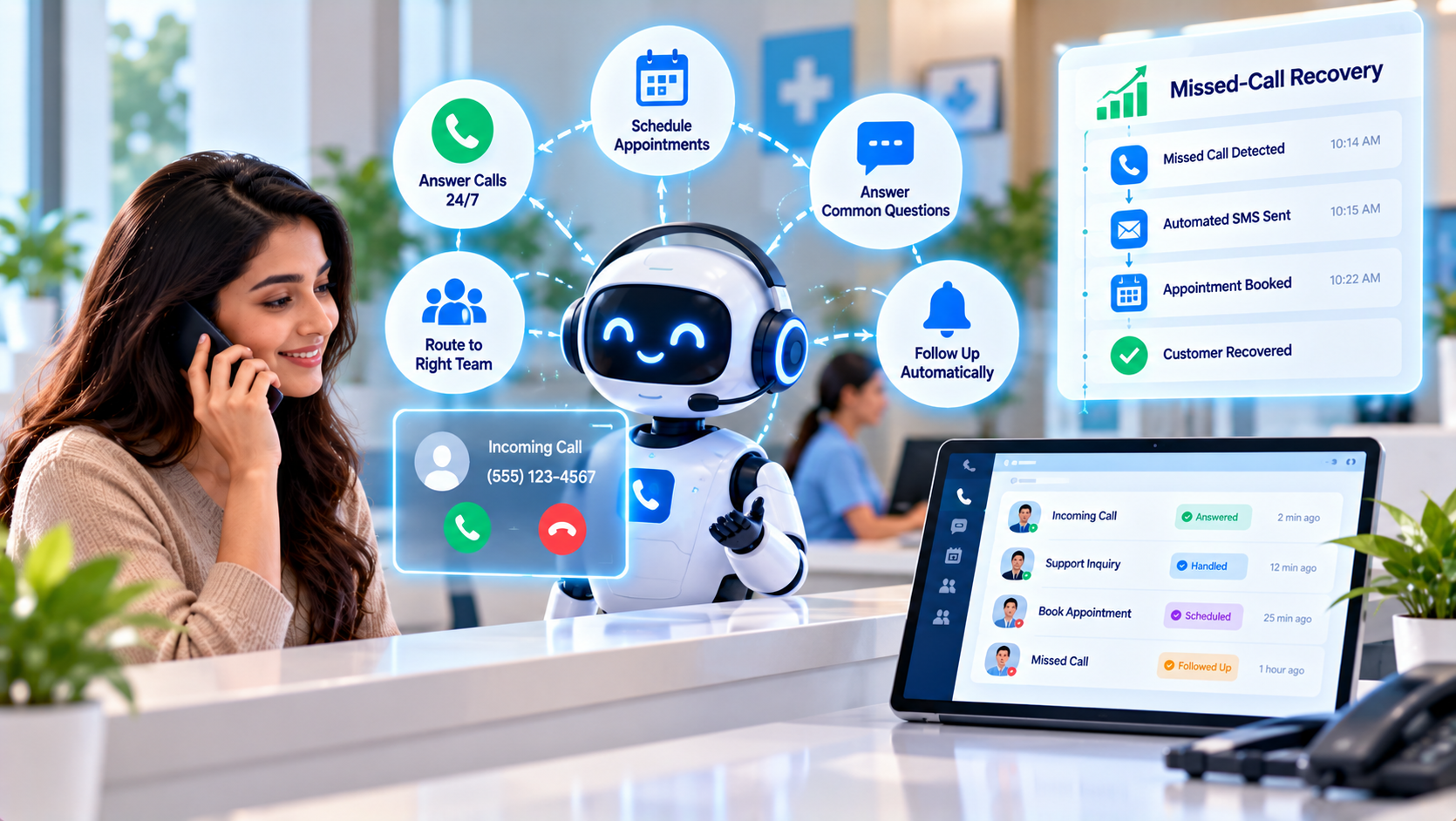
An AI virtual receptionist is a software-based front desk that answers calls and messages for a business, greets callers, answers common questions, routes calls, takes messages and often books appointments, either around the clock or only when staff are unavailable. In the United States, small offices such as clinics, law practices, salons and home-service companies often lose business when the phone rings during an appointment or after hours. This guide explains, in a question-and-answer format, whether an AI virtual receptionist is right for your business, how to judge one with a call-handling scorecard and how to start in five steps, with a sample missed-call recovery result and a checklist of rules. It makes no promise of specific results.
Key Findings
- 5 steps help you decide and start: audit missed calls and call types, decide hours and role, set the greeting, answers and routing rules, connect booking and message hand-off, and review call logs every month.
- In the illustrative model below, missed calls recovered into bookings rise from 6 to 28 per month when all five steps are in place.
- Auditing missed calls first keeps the decision factual in the sample, because the value of a receptionist depends on how many calls you actually lose.
- 4 numbers are enough to judge a receptionist: calls answered, messages taken, bookings made and callers who needed a human.
- All figures in this article are illustrative examples, not guaranteed results.
What Is an AI Virtual Receptionist?
It is a front-desk role performed by software. The receptionist picks up, greets the caller in your business name, finds out what they need, answers from approved information, checks your calendar and books a time or takes a message and sends a summary by text or email. It may also handle web chat and text messages. It differs from a general voice agent platform in that it is packaged for the front-desk job and often set up for you. For the broader technology, read our guide to how AI voice agent services handle phone calls.
Why Might a Business Not Need One?
It is not always the right answer. A virtual receptionist may be a poor fit when:
- Few calls are missed, so the saving is small.
- Most calls are complex, emotional or sensitive and need a human voice from the start.
- Your callers strongly prefer speaking to a person, and an automated greeting would hurt trust.
- You cannot connect a calendar or customer record, so the receptionist can only take messages.
- No one will review the messages and call logs it produces. Our article on signs your business is ready for AI automation offers a similar readiness check.
How Can You Decide On and Start With an AI Virtual Receptionist? 5 Steps
1. Audit Missed Calls and Call Types
Measure the problem. For two to four weeks, count calls that go unanswered or to voicemail, note the time of day and record why people call. Estimate how many of those would have become bookings or sales. If the number is small, a simpler fix may be enough.
2. Decide Hours and Role
Choose how much to hand over. Options include after-hours only, overflow when staff are busy or full-time front desk with transfers. Starting with after-hours or overflow is lower risk because staff stay in control of daytime calls.
3. Set the Greeting, Answers and Routing Rules
Make it sound like your business. Write a short, friendly greeting, approved answers for common questions, rules for what counts as urgent and a list of people to reach and when. Test it with colleagues before callers do. Our guide to AI customer support automation explains how approved answers and guardrails work.
4. Connect Booking and Message Hand-Off
Make sure nothing is lost. Connect your calendar for booking, send message summaries to a place your team checks and log every caller in your customer record. A marketing automation service can send a confirmation text and a follow-up email so callers know what happens next.
5. Review Call Logs Every Month
Learn from real calls. Each month, check calls answered, bookings, messages and transfers, listen to a sample of calls and update the script. Ask staff and a few customers how the experience felt. See AI marketing analytics and campaign automation for a simple review routine.
| Area | Common weakness | Stronger approach |
|---|---|---|
| Need | Bought because it sounds modern | Missed calls counted and valued first |
| Role | Handles every call from day one | Starts with after-hours or overflow calls |
| Script | Generic greeting | Your business name, tone and approved answers |
| Hand-off | Messages sit unread | Booking, summaries and logging connected |
| Review | No one checks the calls | Monthly call-log and recording review |
How Many Missed Calls Can Become Bookings? A Sample Graph
In this illustrative example for a small appointment-based business, missed calls recovered into bookings rise from 6 to 28 per month. The bars run from top to bottom in the same order as the table below, and each block (█) equals 2 bookings.
| Stage | Missed calls recovered into bookings per month | Bar chart |
|---|---|---|
| Voicemail and occasional call-backs | 6 | ███ |
| Plus after-hours receptionist and messages | 12 | ██████ |
| Plus overflow coverage and online booking | 20 | ██████████ |
| Plus script tuning and monthly review | 28 | ██████████████ |
What Should You Measure?
Four measures show whether the receptionist pays off.
- Calls answered, including after hours and overflow.
- Messages taken and how quickly your team responds.
- Bookings made from calls that would otherwise have been missed.
- Calls that needed a human, and the total monthly cost.
What Rules Should You Follow?
Front-desk calls often contain personal information.
- Tell callers when they are speaking with an automated assistant where laws or good practice require it, and let them reach a person for urgent or sensitive matters.
- Follow the call recording laws of the states where callers are located, and tell callers when a call is recorded.
- Take extra care with health, legal and financial information, and follow the rules for your field, such as HIPAA for health providers, before sharing any such data with a vendor.
- Check where call data is stored, who can access it and whether it is used to train models.
- Do not let the receptionist give professional advice or make promises, and make sure emergencies have a clear route to a person or to emergency services.
Methodology and Limitations
The numbers in this article come from an illustrative model created by Nova Reach Digital to show how each step may affect missed-call recovery. They are not drawn from a published study or a specific client, and no one can guarantee results. Outcomes depend on your call volume, industry, prices and how callers react. This article is general information and not legal, financial or professional advice.
Related Reading
- What to know before investing in AI chatbot development
- How fast should you follow up with a new lead?
- How AI keeps your CRM updated without manual data entry
Conclusion
An AI virtual receptionist is worth it when you lose real business to missed calls, start with a limited role and connect it to your calendar and records. Count your missed calls, choose after-hours or overflow first, write a clear script, connect booking and review the logs every month. If you want help with an AI virtual receptionist, contact Nova Reach Digital or read more about our automation services.
Get Directions
Frequently Asked Questions
Keep reading
How Does Review Request Automation Help a Small Business Get More Honest Customer Reviews? Reading the Request Timing, the Five Steps and the Sample Reviews Per Month
A question-and-answer guide to review request automation in the United States: when to ask customers, why review efforts fail, 5 steps to set it up, a weak vs stronger table, a sample reviews-per-month chart, honesty rules and FAQs.
How Does AI Lead Scoring Help a Small Sales Team Call the Right People First? Reading the Score Rules, the Five Steps and the Sample Response Time
A question-and-answer guide to AI lead scoring in the United States: how it helps a small sales team call the right people first, why scores go wrong, 5 steps to build one, a weak vs stronger table, a sample response-time chart, rules and FAQs.
How Do You Build Marketing Funnel Automation That Moves Leads From Awareness to Purchase? Reading the Funnel Stages, the Five Steps and the Sample Stage Conversion
A question-and-answer guide to marketing funnel automation in the United States: how to move leads from awareness to purchase, why funnels leak, 5 steps to build one, a weak vs stronger table, a sample stage-conversion chart, rules and FAQs.
Put These Ideas to Work with NovaReach
Automate your marketing, launch AI voice agents, and keep every lead moving, all from one dashboard.